I'm surprised they are still shipping these with 256GB of storage base. I had a Macbook with a ~500GB SSD in 2012 (I installed it), and a 500GB spinning disk in like 2008 (also user installed).
A 500GB SSD can be had for <$50 these days, and a 1TB for <$100. Still plenty of profit for Apple, even if they bump up the base storage to 512GB and make 1TB a $200 upgrade...
Are you familiar with the concept of "pricing ladders"? The point of the entry level product is not to simply be "the economy model", it's to be feature deficient in just the right way to make you take a "step up" the ladder to the next model.
What I've observed is that Apple does this by targeting the base model with a storage option that's just below what's probably the sweet spot for price / usefulness in the current market. You'll likely be just frustrated enough to take the step up that ladder.
They do this trick with RAM/disk configs for all their product lines. This basically means that any useful config is relatively expensive, and I would never recommend their entry-level models to anyone.
Do regular users use more than 250GB or so of local storage? Large media collections are likely stored on a NAS or external HDDs and the local disk is more for the OS, apps, and scratch space. Nowadays many files are on the cloud as well. Developers, video editors, and other people who actually handle large amounts of data locally will likely purchase an upgrade.
While they're Linux systems pretty much all my desktops and laptops only use 50-100GB of disk space, and I still issue 128GB SSDs with no complaints as everything's stored on the network. Considering how expensive storage is on Apple devices I don't want to be paying the premium for 1TB of NVME which I won't use.
Arguably Apple would love to push people who handle large amounts of data into absolutely unreasonably priced upgrades, and people with large media collections into lifelong iCloud subscriptions.
It's not especially hard to fill up 250GB over time. Apps these days seem to have little concern about conserving disk space, and many are super bloated themselves. A hobbyist wanting to enjoy their iPhone camera's capabilities on that pretty 4.5K display might find themselves filling the drive awfully quickly with 75MB RAW files and 400MB/minute video, plus Photoshop itself taking up 10GB.
Macs clearly aren't a first choice for serious gaming, but a casual Mac user who were to want to, say, try the top selling Mac game on Steam—Baldur's Gate 3—would find that at 150GB it'd use up nearly their whole drive. I've certainly had to help a bunch of family and friends sort out why their Mac kept telling them their startup disk was full.
I'm a lifelong Mac user who switched to a DIY Linux machine (6TB storage & 64GB of RAM) primarily over this issue. Sometimes looking at the base specs of new Apple products and the cost for upgrades feels a little like if the base model Porsche 911 came with a go-kart engine, and for another $100k you could get an actual flat six.
I haven't bought a device with less than 1TB storage in a decade. The users that you're talking about would be happy with a Chromebook or iPad, not a $1k+ machine that ostensibly is for "pro" work. In fact the last time I did it, it was an Apple device and I wouldn't buy one again.
AAA video games will take 100GB of local storage. I'm not claiming Apple is good for gaming, but they pretend Macs can game - never mind you can't fit many games on an entry level Mac.
I haven't checked recently but iirc a hefty chunk of disk was used by the system too - so 256GB isn't really 256GB for a user. It's more like 128.
To add on, my phone is 512 let alone what I want my laptop to be. Apple claims that their ssds are magically super fast as if they don't use the same technology all other high end ones do, it's just that Apple massively overcharges for them, no wonder they make so much profit.
If a user only needs 256g then fine, but it's just creating ewaste as if they sell it 2ndhand there's fewer people that will want it.
My next machine will probably be 512GB model, but I’m still doing fine with my 256 GB Air and a 4TB NAS. I use an action camera for mountain biking and I take photos with a 24Mpix mirrorless camera. I just offload the material to the NAS as soon as possible, and I don’t game on the thing.
Mate, I have VM images that are bigger than 250GB. Xcode, libraries, local cache of my cloud storage...already full. It's inadequate on purpose to get you to pay the exorbitant uplift for a higher storage tier. 1TB should be base spec these days.
I bought my wife a base storage mini with this assumption and her iCloud messages was 95gb because of all the pictures and videos sent. There is no way to offload it or move it to store on my nas, or an external HDD that I could find
It's a very intentional thing to try to make you need more space.
I pay $30 a month for the 6tb iCloud plan and could find no other workarounds other than logging her out of iMessage - which is absolutely rubbish
If her iCloud backup is 95gb then it only costs $3/mo. for the 200 GB plan [1].
If you're paying $30/mo. for the 6 TB storage plan then that's because you're choosing to store a ton of stuff there. It's certainly not because of your wife's messages. And you're making my point for me -- I do the same! $10/mo for 2 TB. It's great.
Cloud pricing is pretty decently competitive when you compare it to building your own storage with the same reliability, which is going to involve redundant on-site hard drives in a NAS, and an extra off-site backup.
You can also just delete the largest iMessage media files directly from the phone, there's literally a feature for that. Since most people don't really care about saving any of the videos or images after they've been seen, or you can save them individually to your Photos at the time if you do care. I do a mass-delete every year or two.
We pay for iCloud regardless because we've crossed the 2tb threshold for our devices and our kids devices backups + photos and videos.
Deleting the iMessage data off the device is not feasible after like ten minutes it was showing me 20 at a time that had small sizes relative to the amount left to delete. Thank you for your attempt at helping though
I still use one of these for media viewing on my TV, great machines as you could upgrade disks to 2TB and memory to 32 GB. This is for machines that are 12 years old! And Apple is still selling new machines with ridiculously lower specs.
A relatively generous interpretation is that they want to keep down the price of the entry model. They make their own silicon now, only three different sizes so it's not viable to differentiate on compute power. The easy way out is to put too little storage and memory in the base model and make customers pay through the nose for more storage and memory.
Imagine you are running a digital design shop and you want to determine two things:
- the software that your users are running is licensed.
- the media that is produced is stored on a central resource that's tightly managed and comprehensively backed up.
If so, maybe having client machines with minimal disk space is what you want?
This is a desktop so I think the assumption is that the savvy can attach a USB3/4 device with appropriate storage (e.g. for your massive photo library - it's easy to change the location).
Except that storing your iCloud Photo Library on an external drive is a PITA, as multiple daemons (photoanalysysd being one of them) will randomly activate themselves to do their shit, making it difficult to predict when the drive will not be able to be gracefully ejected. It needs to be a permanent external disk.
It depends what the person meant by ordinary, but if ordinary just generally refers to "off-the-shelf" or commodity SSDs, then we've been able to get equivalent or better performing NVMe SSDs for a long time, for a small fraction of the price. Within what you can get retail, I think you'd still want the higher end of it for comparable speeds and yields, but would still save A LOT doing so.
What year are you currently living in? A good 2TB Gen5 NVMe with W/R speed upto 7,000MB/s can be had for less than $200 during sales that happen multiple times a year. Go down 1 tier lower to 4,000-5,000MB/s and you can have one for just $120. Nobody puts SATA in premium laptops, hasn't been the case for quite the few years, you got brainwashed good by Apple.
Right now, the Apple computer lineup is totally out of alignment for me. The iMac is too small and the laptops are too big. I'd like a minimum 27" display for the iMac, maybe 31". For a laptop, give me something more portable, like the old 2 pound, 12" MacBook.
I love the idea and form of an ultraportable laptop, but I’ve had to face the reality that even a 13” monitor is just too small for me to be productive on complex development tasks. My eyesight isn’t good enough to handle tiny fonts, which could be part of the disconnect. What kind of work are you able to get done on a 12” screen?
You'd be surprised (maybe) how few monitors there are in particular categories. In terms of successors to the older 30" screens at 16:10, or 6k screens of any kind, or simply 5k screen with even some of an assortment of niche quality attributes, there's usually like 1 single offering. I'm still rocking my Dell U3011 from 10 years ago alongaside my 2019 13" MBP with an i5, and occasionally I look at upgrading, but never find something sufficiently compelling that ticks whichever boxes I'm looking for.
For example, I don't want an ultrawide, and I'd prefer IPS quality at around 30-32", and for it to be better than my current screen it'd need to be at least 120hz with <3ms response time and/or retina density, for a relatively modest budget, and for what's available I just end up deciding I'm fine with what I got until it's dead.
For what it's worth I bought the Dell U3224KB last year. I don't know why it's never on any of the "recommended" lists for mac-friendly monitors, but it's frankly amazing.
It's not super cheap, but it's significantly cheaper than the other 6K 32" display on the market, and has a lot more utility (additional ports including 2.5GbE and a bunch of usb ports front and rear).
Ya, I've had my eye on it for a little while. It's significantly out of my price range though and the webcam would be a tough one to accept. Maybe if they update it I'll then try and get one on severe clearance or used market. I am personally more interested in long-term utility and picture quality than industrial design, so the other 6k screen has never been appealing beyond playing with it in the store, but I think my current screen is the lower limit of what I'd pay quite a handsome sum for. I'm glad you like it though, Dell has always put out great monitors, particularly in 16:10 and IPS, so I'm even more hopeful for other options in the future
Edit: Just realized that the 6k Dell monitor is actually 16:9, and the successors to my screen don't seem to be sold anymore. In the 16:10 category, there's only 24" left :(
To be honest I don't really notice it much. It just kind of blends in to the speaker bar along the top. What I do notice is the sound of the physical shutter opening if I open something which uses the camera (50/50 chance it's going to be FaceTime deliberately or PhotoBooth by accident) but visually I really don't notice it now.
> Dell has always put out great monitors
Yep, I remember years ago my first experience with a Dell monitor (around the time of the PPC/Intel transition) at work, and being quite impressed with the build quality and the stand in particular, a quality that remains to this day (at least on the HiDPI models like the P2415Q and this U3224KB; maybe the cheaper models are less sturdy? I don't know honestly)
> I'm even more hopeful for other options in the future
Like you I was skeptical about the webcam initially (I think I've used it about 3 or 4 times in the 15 months I've had it) and would have probably bought a model without it if they offered that.
It's nice to finally see more HiDPI options available (BenQ recently announced a new 27" 5K I believe), I just hope this isn't a recurring pattern with manufacturers, where they introduce it and then decide it's not worth it and drop it without a replacement, like the aforementioned P2415Q, the UP2715K, etc.
I used to always buy MBP's, but the new gen are all those super thick and heavy models. I tried one and couldn't get used to the thickness or weight. At that point I may as well get a desktop.
I ended up buying M2 new MBA (from intel MBP), screen size similar enough, thickness good, weight good. And M2 is fast enough for 99% of the things I do. I did max the RAM to 24GB and wish there was more sometimes, and would love a faster SSD. Bot overall very happy.
I just replaced my 10(!) year old 15" MBP with a new 16" (M3, but I needed it at the time, and the difference between M3 and M4 is not enough to worry me).
It's almost exactly the same size and weight, I prefer the shape of the old MBP, but the new one is perfectly fine.
However, the old one had replacement SSD and was on its second replacement battery, not sure I can do that with the new one.
I don't know if you already know this, but speed of SSD is dependent on size of SSD and also by how much of the drive is empty. Once it's more than 50% full it starts slowing down. I created a separate partition to deliberately leave 30% of the drive unallocated.
I miss the old small MacBook Air https://support.apple.com/en-ca/112441
But it would have been nice to get a device more like the mini Sony Vaio device of old with tons of ports, so you have a mini workstation to add a large display and inputs
Changing screen sizes appears to be a very common theme for Apple. That way they can a few years later re-introduce the old screen sizes as the best invention since sliced bread. Very annoying. I would also have liked to see a 24"+ model.
I'm still using my 2017 27" iMac Retina, and vastly prefer it for most things over my 2020 M1 MacBook Pro (which I dislike primarily for not having volume buttons).
It was available for 6 years (2011-2017), that's hardly a failure relative to other Apple products that have only made it through 2 cycles (the most recently iPhone Mini sub-family that lasted 2 years).
I commented elsewhere, but my uncle is on his third iMac in 30 years. He keeps them a decade at a time. My father is still using an Intel iMac. Normal people do not upgrade their computers after purchase. Displays are generally not something that fail. These machines are capable of providing a decade or more of service to normal people.
I rounded too aggressively. His first iMac was the G4 on a stalk (2002). The second was one of the aluminum pre-Retina Intel models, perhaps 2012. He just purchased his third earlier this year. So, three iMacs in 22 years, but I expect him to keep this one for at least a decade too, at least 5 years, so that will get him to three iMacs in 27 years at minimum.
That feature was available and only possible with specific Intel chips. It went away because Intel stopped supporting it. Sad the feature didn't come back to life in the AppleSilicon iMac.
Their display stack on Apple Silicon is still maturing. It took way too long for them to support more than a single external display. I bet you it's due for a comeback in the next decade.
While it is a shame it was never brought back, at the time it was removed it was unavoidable since the bandwidth required for 5k was beyond what could be carried across a single display port cable.
Displayport 1.3 which supports 5k 60fps became widely available with the NVIDIA 900 series just 5 months after the 5K iMac released. AMD followed suit 1 year after.
They could have very soon added support for it, maybe even launched with DP 1.3 support if they worked something out with AMD.
I'd love to see a regulator mandate that computers like the iMac that have built in screens must have HDMI ports that allow them to be used as monitors.
This would be great for the consumer and prevent a lot of ewaste as people can use obsolete computers as monitors well past their useful lifespan as a monitor.
HDMI might be a bit more complex, but displayport should be doable since most devices use embedded displayport (eDP) anyway for their built in displays. I'm guessing the main cost would be adding a switching chip for switching between external and internal source.
My last iMac lasted 10-years. I replaced it with the M3 iMac for my daughter. I will be happy if it takes her through High School graduation in 2030. If the M3 iMac is still running, I expect to use it for some intro to computer stuff for one of the younger kids.
Yes I cannot mine the iMac for parts at EOL, but realistically, I haven't really done that on any tower-based PC either.
Are you expected to replace your screen often? I don't think I upgrade and replace either one much faster than the other. Usually get a new monitor and a new PC every 4 or so years.
> Usually get a new monitor and a new PC every 4 or so years.
Maybe you're not quite the average consumer that OP has in mind? Maybe you are, I don't know. Either way it's unsustainable and ridiculous that the _average consumer_ would need to replace something after 4 years when it COULD be built to last.
My first LCD monitor is still actively used in our house, about 18 years old now. My mother has gone through several computers, kept the same screen for 15 years. Apple Consumers are not "Average Consumers". Starting at $1300, it's a luxury desktop.
That’s a mid-range desktop at most in a world where people pay more than that for individual components at the high-end, especially when you look at pricing for equivalent quality displays.
The correct criticism of iMacs is that it links two parts with different lifespans. There should be a legal requirement that all-in-one computers have an external connector so that if some other component fails or simply becomes obsolete you can use the perfectly functional display with another system.
I agree that the iMac needs to be usable as a monitor. Both Dell and HP all-in-ones that I looked at do this (I did not do an exhaustive search, so it may not be as common as my 'look at two' makes it sound, but it's not UN-common)
However, let's be real clear, iMac is not a mid-range desktop, price-wise. Amazon's all-in-one category's HIGHEST non-apple price in the top-10 is $599. There are three non-apple all-in-ones over $1k in the top-50. [1]
Obviously, once we separate the pieces out, things become even more clear cut. You can buy the beefiest "mini-pc" from amazon and pair it with a 28" or 32", flat or curved 4k monitor for $200-400 and still have money left over.
The iMac is NOT high-end, but it is luxury, and that's an important distinction.
My point was just that while it’s not low-end it’s also not luxury in a world unless you’re defining that term to mean something like “has clean lines without stickers” or “has a better display than a TV from a decade ago”.
Most of the cost of an iMac is the display and as your example shows, you don’t see significant savings unless you accept massive compromises on quality. 1080p FHDs is like saying you have a luxury car because your baseline is a golf cart and most of those have terrible color quality according to their spec sheets even if you ignore the low resolution. By the time you’re getting to models which are only one generation behind on CPU you’re looking at a $900 system with a display which is worse than what Apple shipped almost 20 years ago.
That wasn't their point. The point is that the average consumer doesn't really upgrade their desktop separately from their screen, if the two are separate. You do not need to replace an iMac after 4 years, they are in fact built to last.
Most people I know who don't use laptop exclusively don't replace their monitors that often. My work docking station is still rocking 2017 4k monitors and my wife home setup is similar.
yeah I have an older model that had the well documented faulty / fragile screen connector for the LED back lights. Very expensive replacement screen was the recommended fix! all for the sake of a tiny six pin connector.
One of these days I'll split it down and see if my hands are still steady enough to solder on a new connector.
Anyway it was enough to swear me off any all-in-one devices ever again. I thought by now we'd be fully modular with desktop computer hardware.
I've got one of the LG Ultrafine 5K monitors paired with a modern M1 Max macbook and it's a nice combination.
Expensive, but I adore the pixel density considering I spend all day staring at text :)
I'd be seriously tempted by an iMac if it had M4 Pro + a 27" 5K display. I just don't feel it's likely as they'll probably see it as cannibalising Mac Studio + Studio Display sales.
On one hand, companies willing to spend more than $250 on monitors will rather give you a 32" ultra-wide, because that's more useful to the typical office monkey worker.
On the other, the PC enthusiast customer base is almost synonymous to gamers, who'd rather want high refresh rates than a silly 5K resolution they cannot use.
The thing is, only Apple computers really need it, because of their technical choice on resolution scaling, where only x2 do not give you a blurry mess on macOS.
5K is nice but not necessary for other platforms, you can get a 4K display scaled to 150% and it's still a good pixel density with same workspace size as a 2560x1440 display.
For what its worth, I am extremely satisfied with my Studio Display. The 5K resolution makes 2x pixel perfect scaling look great, built in webcam which fantatic for meetings, good speakers, and charges the MacBook Pro with the same cable, and acts as an USB-C hub.
It has a few upsides that don't get written about often, compared to other monitors:
- Apple is extremely picky about panel QC, making things like dead pixels and patchy backlights much less common
- Its design practically eliminates the backlight bleed that's common with other monitors due to variances in bezel/panel fastener tightness
- No coil whine (surprisingly common even in other high end monitors)
- Some of the best glossy antiglare treatment I've seen, without the "gritty" coating that can cause a "sparkle" effect that's common on Dell monitors
- It wakes up and displays a picture almost instantly
It's not perfect and I'd prefer better specs for the money, but it's not a bad monitor. I've tested models that are more expensive than the Studio Display that fail to check some of these boxes.
Everything you list is basically part of any display that is not bottom of the barrel.
Yes, it's a very good monitor but it would be crazy otherwise considering the price. And it has one fatal flaw: you can only connect to it with USBC/Thunderbolt making it an almost Apple only monitor which is extremely annoying in the long run...
The biggest problem with it, frankly, is the occasional requirement for a full hard reboot, but no controls relating to that. When I was using a Studio Display, the UPS outlets were in a place that required as much as 45 seconds of effort to get to, and I while that was a real annoyance to me, it was only while typing this out that I realized that no one will see this as any kind of inconvenience. ¯\_(ツ)_/¯
Thankfully, I’ve not run into that issue, at least not with any frequency. Might’ve happened once in a year and change, and I can’t remember clearly if even that actually happened.
I have both; I got the LG when they first came out and the Studio display last year during a good sale on Amazon.
The panels seem the same but everything on the Apple one is better, as you would expect.
But lately my LG is starting to have issues with ghosting and color shifts around the edges. It's still ok to use (I'm typing this on it) but I guess it's nearing the end of it's useful life.
What delineates it as an idiot product? There aren't exactly a ton of alternative 5k displays on the market. Dell and LG have some 5120x1440 options, but only Apple has a 5120x2880 option as far as I can find.
There’s a Samsung one, though it doesn’t seem to generally be much cheaper than the Apple one, and the LG Ultrafine 5K seems to be… maybe still available?
The Samsung is usually between $800-950 at Amazon, shooting up to $1600 about 10% of the time.
I've often it seen it in the $900 neighborhood at Best Buy and B & H. It's $1600 right now at both of them but I don't know if that is just one of those full price spikes like Amazon has or if they too are like Amazon.
Personally I wish they sold a version without the camera and speakers. I already have those. A ultra wide would be nice too. I can’t imagine using two of them side by side, especially because it seems incredibly wasteful to have a duplicate speaker / camera set up.
Could you please be a little more kind and a little less vitriolic? Not talking about right or wrong here, but if this comment chain keeps going in this direction, we're left with lots of anger and little in the way of interesting reading.
Your reaction is mine too, but it feels like you're fighting for the sake of fighting.
Yes, it's infuriating that they effectively made an iMac, don't let you run your own software on it, but do charge iMac prices for it.
Also, if you're a consumer who wants a retina-class desktop display, do you have any better option? So far as I can tell, the 27" 4Ks we bought for my office ~9 years ago are still state-of-the-art if you're unwilling to consider Apple's option.
People are taking exception to your "idiot product" remark, because you're standing so high on your principles that you're calling people who are willing to make a financial sacrifice to get the best available option "idiots." If you spend hours a day in front of a screen, you can justify amortizing out stupid-expensive over the amount of time you spend using it.
We'd all like to see either just-the-screen for half the price, or a revived iMac Pro at the current price; but neither of those are options anyone can buy right now.
I don't think I'm fighting anything. You just choose another product. In particular for design professionals, you're better off buying monitors with panels from Samsung or LG, who are also Apple's suppliers.
Edit: The real point is you've been conditioned into thinking you need a 5k or even a 6k display. As someone who has done professional media work, no you do not.
Apple's monitors are products sold to people who don't know seemingly don't know anything about monitors, color accuracy, who don't calibrate, or have to test against multiple devices to ensure readability or clarity of picture.
They're really nice toys for people with a lot of money, not unlike Teenage Engineering products, except Apple markets them in earnest to "pros" not "professionals." People who know better use different products.
Good to know that other companies are supplying 5K displays, but neither is significantly cheaper than the Apple. In fact, Samsung's MSRP is identical to Apple's.
Now that my 27" iMac from 2020 is starting to get old and Apple will likely deprecate support for all Intel Macs soon, I really wish there was an easy way to use it as an external monitor for a MacBook. Every implementation of streaming to an iMac is hacky at best.
There's not a super easy way to do it but if you're willing to take it apart there's driver boards available on Aliexpress that convert 5k imacs into HDMI/DP monitors.
I looked into this briefly when they announced that the iMac Pro is the oldest device that still gets the newest software.
It's logically two displays crammed together, which apparently makes Linux support difficult. Someone posted on HN a link to a Chinese company whose sole purpose seems to be making boards that let you drive an iMac Pro display with a traditional display cable. It's left as an exercise to the reader how mad your company would be if you tried that on your corp device.
Not in terms of colors but the 5K panel (I assume from LG) was more uniform in the blacks and suffered from almost no IPS glow. Not a big deal. The Asus is great for the price paid.
Obviously big difference in DPI too, but 4K still looks great at 32''.
For reference, I'm using the PA329CV. I don't know if all ProArt monitors use the same quality of panel.
If a 27" iMac did exist, it makes the comparison to the Studio Display now a bit odd - because they'd both cost roughly the same price but one has a computer and one doesn't.
If only it had higher pixel density. If there was a 43" 6K or even 8K screen I'd buy it in a heartbeat. But with only 4K I have to use all sorts of weird tricks with raster fonts to make the text in my terminals sharp.
Also, too bad all the TV makers stopped making 8K screens in 55" and below.
I tend to agree but more because the market has settled on it. One thing about screen size is that it's easier to achieve an effective screen size with a smaller screen (by moving it slightly forward) than it is to do the reverse. So a 24" screen will work in more environments, e.g., smaller desks, than a 27" will. A dual screen setup with two 24's will require less neck movement.
Of course, the market has also decided that decent aspect ratios aren't worth doing either. If there were 3:2, 4:3, or 5:4 options—more versatile for productivity—we'd probably settle on something between 21" and 24".
It really is, 4K 27" monitors that can do >=120Hz are perfect for me personally.
I just wish that the base macbook pro models supported 3 external screens without resorting to a software-based video-over-usb DisplaySync (not DisplayPort) connection.
So far the screens I've tested are more tiring to my eyes (I work both on a M1 13" with external screens, and on a legacy 27" iMac). What are the best 27" screens for coding comfort that work well with Macs these days?
Apart from the Samsung Viewfinity that another commenter mentioned, there's also the LG Ultrafine 5K and the Huawei Mateview. The MateView is nicer than other 4K monitors because it has a taller aspect ratio of 3840 x 2560 so the extra 400 pixels of vertical space is nice for productivity work, although of course this is still fewer total pixels than a 5K display.
I bought mine like 2 years ago and it's been rock solid. IIRC they had some revisions over the years. And being rock solid: that's a bit of a lie because the monitor is wobbly as hell. So I've propped it with two supports on each side. Apart from that, the picture is the nicest I ever had from a monitor, and I had a lot of good ones. Text is super sharp and has acres of pixels. Compared to 4K monitor I can have both a terminal client and a browser side by side all looking nice. Can't fit that on 4K unfortunately.
I haven’t tried it myself but if you really want that 5K 27 inch form factor samsung’s viewfinity s9 is exactly that. Or apple’s studio display ofcourse.
It only shows two USB-C ports while further down the marketing material talks about "all four USB-C ports". EDIT: the low-end 8-core model for $1300 only has two ports.
It also has what looks like a rear-facing camera in the stand cutout. What is that for? EDIT: It's the magnetic power connector. I did not expect that to be round.
Supposedly there's a gigabit Ethernet port somewhere too. Not shown in any of the pictures on the site that I can find.
> iMac features a color-matched keyboard and mouse or trackpad... These accessories now come with USB-C ports, so users can charge all of their favorite devices with just a single cable
People say this as if Apple hadn't already been adding USB-C to their iOS devices for several years. There were pretty good reasons for holding off USB-C for the iPhone. It was likely to alienate a good number of customers.
I doubt Europe had anything to do with the timing.
They've added repair stuff years in advance for the upcoming mandate on right to repair. Funny how they know the path they should take but don't choose to take it until there's a future mandate. Then suddenly it's "out of the goodness of our corporate heart..." and y'all eat it up & make excuses for em.
I don't doubt it was in the works, but on what time frame?
Timing probably matters: when most of the market already agrees you can't wait for the last group, you have to strike before everyone defuses again.
And while I can imagine that apple had a plan here, the part that doesn't fit is that they protested the mandate. If this had no effect on their plans, why bother?
People have crazy long memories to consider this as happening "again," seeing as the lightning connector has been around for 12 years.
Who are the folks that only have one device, anyway? Surely almost everyone who owns a smartphone has at least one USB-C cable kicking around for something else?
My sisters are two living examples of said people. They both asked me why Apple was suddenly switching the cables for their new phones and tablets, when they already had everything on one cable type (lightning) and it was convenient. Now it's inconvenient for them and they didn't understand what the big deal was with usb-c.
Cables are the obvious one, as someone else mentioned. But I think people forget how many accessories have been sold (e.g. FLIR cameras [0]) that were Lightning only. Switching the phone to USB-C renders those expensive accessories obsolete.
I have a Lightning FLIR camera and it works identically well when used with Apple’s Lightning-to-USB-C adapter, it even works with my 2018 iPad Pro which kicked-off the iOS+USB-C process all those years ago.
My iPhone today is rather aged (and uses Lightning) so I’m switching to an iPhone 16 later this year, and I’m confident all of my Lightning accessories will continue to work do long as the apps are available on iTunes.
Related question: now that desktop iTunes is useless for iPhone app management - how the heck do I save and load the iOS I’ve purchased after they’ve been pulled from the store?
Yup, exactly. I have a flir one, and I’ll have to keep my old lightning iPhone around just so I can use the flir camera when I need it. There are probably a bunch of such peripherals. The key difference between MacBooks and iPads where they did switch to USB-C early is that dongles are WAY less convenient of a workaround with a mobile peripheral.
I think the lifetime of the lightning connector has been very reasonable. If they switched much earlier they would’ve really screwed over those who invested in lightning peripherals. I think it’s reasonable to expect the peripherals to last at least one phone upgrade.
Yeah maybe it still sucks for people who bought such peripherals in the last few years. But more and more stuff is done over Bluetooth now and we’ve had years where everyone should know that there wasn’t a future for lightning
I used to have a cheap Acer keyboard that had two USB ports in the back, so it acted as a little bonus USB hub that you could plug extra stuff into. Great for quick USB drive transfers; you could even plug in your mouse there.
For a second I thought that's what Apple meant here. But they just mean you can plug in the device itself.
I could never justify getting an iMac. All the downsides of a laptop & desktop in one; not upgradeable and not portable. Leaves me wondering how many of these Apple actually sell. A Mac Mini with a separate screen feels like it makes far more sense.
The iMacs very much aren't their main seller. A couple of key demographics use it though:
* Families with a shared computer in a common room. Super simple to setup, no fiddling, low price. In the video Apple showcased this use case. My parents have an M3 imac and it works great. They had their last iMac for ten years.
* Businesses buy these for reception areas and customers see the Apple logo on the back. Easy solution for a business with no IT department, great marketing for Apple.
Apple will probably always sell an iMac option as long as businesses buy and display them.
The sell but Apple makes around twice as much from services as they do from Mac. Wearables are even bigger than Mac. And within Mac, 90% of sales are laptops. I don't think Apple focuses that much about desktop Macs.
That's fine, but personal anecdotes are also a hugely misleading source of information too. In the time since the iMac redesign was released, I've seen 10x more of the old models than I have seen of the new ones. My local barber even uses an Intel iMac in Target Display mode to run their Windows small-form-factor PC.
HN is disillusioned, but so are a lot of the west coast product designers that expect businesses to buy these on day 1. The majority of businesses are going to buy whatever is cheap and effective - their realistic choice is between a Chromebox and a Mac Mini.
+1 for the business front desk. This is by far where I see them the most. They're very easy to deploy, and most of the software you're going to need it to be running works in a browser. A windows all-in-one PC is another option... but the chance of something going wrong/being annoying in the interim between "plunk it on the desk" and "open salesforce in chrome" is definitely higher.
My parents have had an iMac in their living room sitting quietly doing stuff (web apps, mainly) for 9 years now. Still works fine for all their use cases and the 5k screen remains a delight to behold.
i know a few people who have an iMac in their living room like that, with the same logic as the people who still have landlines - the laptops and cell phones get put away when you get home (or stay in the home office), so you can be present with your family. but sometimes you still need a computer for stuff, like controlling the music or quickly looking something up on google. but if it's not your computer, and it's not signed in to all your stuff, you're going to quickly do the thing you need doing and then get off it again.
iMac is perfect for that. it looks pretty, it's small enough that it can be put in a corner, and it's powerful enough that you can buy it, leave it there, and not think about having to upgrade it for a decade.
It's surreal for me how something so expensive can be thought as "perfect" for this usecase.
I'd say in cases like this having a cheap laptop or even a cheap all in one desktop computer is good enough. Why spend $2000 to browse the internet?
The long support length lowers the effective cost. We only upgraded my parents' computer after ten years due to software support. It was so old it was soon going to lose even Google Chrome updates. But it ran like new.
The total carrying cost over ten years is quite low. And my parents have needed much less tech help with a mac. The day to day ease matters and is worth money.
Being honest, I would bet the archetypical family that can prioritize "putting the phone away and being present" definitely skews more affluent than you may expect.
Eh, they start at $1300 (I suspect pretty much all non-commercial purchases are the base-line one) and last roughly forever (like, a decade is not an exaggeration; you see old ones around a fair bit). There’s a market, there.
Not sure what it’s like these days, but last time I checked cheap PC laptops were basically disposable; in an old job we had plastic Dell laptops for non-eng roles, and I’d be surprised if the median lifespan was much more than a year. They just broke _all the time_. Possibly things have come on, I suppose; this was a while back.
Sorry for the 2000 price mark, seems like the base version costs 1300$.
In my personal experience, my parents (not super tech savvy) always had a windows laptop and never had a specific windows issue due to updates and whatever. If they did, it's more app specific, not necessarily os specific.
In general, I (personally) disagree with the statement that macs require less maintenance than windows or Linux, I use a mac for work, and I have a fair share of app related issues just like I would on a Windows or Linux machine. It's just my opinion.
I love the iMac as the main driver for my family of 5
* We want a dedicated space in the house for a family computer, so portability is no concern
* It has a very small footprint
* It looks the most like "furniture" out of all the options I've seen; pretty color & form factor, and no mess of cables. If you're male, think "wife approval factor".
* It does everything the family needs from it; runs Steam, documents, spreadsheet, browser, school, photos/videos, etc
* High interoperability with our family iPhones/iPads
Yeah a family friend PC that can end up on a desk or in the kitchen, or on a milk crate as a media player in an apartment, as a family computer they get years of use over time by different people in a family. From work to life to play.
Low number of cables has also been one of the points of appeal for the iMac, to the point that it was a focal point of marketing for the original model. For the average person's setup the current model only needs a power cable.
Of course, but those cables (or more likely, just one cable) can be stashed away in a drawer 99% of the time. The bundled keyboard and mouse/trackpad can go months between recharges, especially with lighter less frequent use that something like a living room or kitchen machine might see.
Upgraded my father to one when the M1 came out. Perfect size and screen for him, more performance than he'll ever need (browsing and occasional word processing/spreadsheets).
If you just want a family computer in the living room or somewhere, it's perfect. A place where you can just sit down and do some stuff. We have an iMac there without a login requirement.
Note the data isn't actually public - Apple does not break Mac revenue or sales figures down to per device. These are all just 'market intelligence' estimates.
Note that those are revenue figures, not unit sales. That is why the Mac Pro comes out so high. the unit cost is so much higher that even with low volumes, the revenue is noticeable.
I'd be interested in numbers on some of this. From my view, the upgradability is a bit of a red herring for most users. Computers are fast enough for most uses that it just doesn't matter.
This is what had me thinking this is a red herring.
I remember buying computers in the past piece wise with an eye for what component I would want next. I... can't remember the last time I did this. And for my kids, it is not something they are interested in. At all.
And frankly, the “upgradeability” of most desktops is a myth in my experience.
By the time I’ve ever wanted to upgrade a Windows or Linux PC, a new CPU probably isn’t going to fit into the same socket as the one I had so now I need a new motherboard too. I probably want a new GPU if it was a gaming PC and if it wasn’t I would be using an integrated GPU anyway.
I think the only thing I’ve ever kept from an “upgrade” was my case and some memory sticks. But I probably would have been better off—both in time and money—just selling the damn thing as a whole and buying an entirely new set of components.
TL;DR, year-over-year bumps just aren’t worth the price of upgrades, but by the time it is worth doing you probably want to upgrade so many parts there’s little left to keep. YMMV.
If you want a new CPU after a decade it's absolutely as you describe: you need a new mainboard and probably new memory (DDR5 just came out), and end up keeping only the case, drive, case fans and PSU, if that.
For other components it mostly works. You can smoothly upgrade from 8GB RAM all the way to 128GB, get a new GPU, whatever the current WiFi standard is, more silent cooling, more, bigger or faster drives, etc. If you replace something every 2-3 years you can ship-of-theseus the same computer for a surprisingly long time at pretty low cost
I have been building and upgrading PCs for like thirty years, from 10 to 40 and through varying degrees of expendable income. I genuinely cannot ever remember there being a time where it made sense to upgrade a single component.
I’m not going to say it doesn’t make sense to do so for anyone, but it certainly wasn’t in my experience.
You can hit a RAM limit on some lower-end motherboards quite quickly depending on the memory controller and you might only get so far with GPUs as well depending on the type of PCIe slots.
I'm not sure what decade you have in mind, but for all the recent ones, the memory controller has both been on the CPU, and not been part of the differentiation between low-end and high-end CPUs for a given socket. So the only significant RAM limitation coming from the motherboard is if it's a small form factor board with only two slots instead of four.
A person in college on a tight budget might choose a budget-conscious PC, with an average amount of RAM and a modest hard drive. A few years later, component prices will have fallen and the PC will be showing its age thanks to its modest components. Adding a larger hard drive and more RAM will get a few more years out of it.
On the other hand, a mid-career professional programmer has plenty of disposable income, so if they're buying a PC today they can chuck in 128GB of RAM and not need to upgrade for the next 10 years.
If they bought a “budget conscious” PC, what are the odds that they’ll have hit the limits of their RAM but not any other component? If they bought a cheap laptop, for example, what are the odds that the hardware isn’t starting to fail? If it’s a desktop, what are the odds that by the time they need a new CPU a worthwhile upgrade will still be socket-compatible? Usually the budget options are already well into the service lifecycle for things like that and at least anecdotally the budget buyers I know buy a new one 1-2 times per decade rather than upgrading anything.
> If they bought a “budget conscious” PC, what are the odds that they’ll have hit the limits of their RAM but not any other component?
20 years ago, a budget-conscious 1.3GHz CPU for $130 was just a binned version of a high-end 1.6GHz $339 CPU. So the budget-conscious CPU would have pretty much the same longevity as a higher-end CPU.
10 years ago, a budget-conscious user could pick up a 4-physical-core ~3GHz CPU for ~$192 (like the i5-4590). Today you'd be due for an upgrade, but it wouldn't be unusably slow. Indeed, Intel are still selling 4-physical-core ~3GHz CPUs to this day, like the i3-14100.
And of course components like sound cards and gigabit ethernet ports don't really 'hit their limits'. You'll probably want to upgrade your wifi, admittedly - but a USB dongle is what, $20?
Yes, but the question was how often you only need one of those. You can toss a slightly better CPU into that socket but how likely is it that you’re limited by only that much? Your memory bus, storage subsystem, etc. won’t get noticeably faster and those are what most people notice - especially when their starting point was low end on the day it was released.
That Wi-Fi dongle is a good example: your $20 dongle is probably a waste of money because it won’t reach the maximum for whatever wifi spec it claims to support and it tends to be the case that cheap hardware does not reach the maximum USB speeds promised so the performance impact is likely to be unnoticeable.
Allow me to rephrase, then. I have personally upgraded PCs many times.
The most common upgrade for me has been adding more disk space. Back in 1995, a 1 Gigabyte hard drive for $250 was just the thing for your new installation of Windows 95.
The second-most-common upgrade is getting an employer-issued machine with a baseline spec and needing it to be a bit beefier. If you're running virtual machines or dealing with large datasets or analysing large heap dumps you might need some extra RAM; if you're doing machine learning you might need more disk space.
The third-most-common upgrade is a better GPU. PCI Express means modern cards will plug into 10-year-old motherboards. Maybe your PC was just short of what you needed for that 4K display, or you'd like to play some newer games.
Of course, if you're informed enough to do this, you're undoubtedly informed enough to know not to expect to upgrade these modern Macs.
Me too, but it’s increasingly uncommon. Going from a 500MB to 1GB drive back in the day was huge but since the late 2000s most normal people I know seem to have plateaued, both because they’re not generating data as fast as storage densities increased and because cloud storage has soaked up a lot of use-cases. Even the gamers I know don’t upgrade as often as they used to.
In your experience for sure, myself and everyone I know with a desktop upgrades bit by bit where they can. My recent one was 16->32gb ram, even cheaper now since it's only ddr4.
Tho the next will likely be a full upgrade as my last main build was 2018 with the mini-itx I still have. But if I want to do more ai stuff I'll probably need to hop up to m-atx or even just atx. 1080ti I'm currently on was the last before the era of sanely sized gpus came to an abrupt end
I agree with you entirely except for if we skip the year over year part.5-
Time of purchase upgrade ability, if we’re talking about getting to 128 or 256 GB of RAM. Time of purchase to upgrade to multiple high res screens that match. Dedicated GPUs… I bet there is a top of the line home hobbiest LLM oriented GPU from Nvidia or AMD in the next 3 years that will cleanly connect to recent chip architectures. I doubt it will run optimally tied to a Mac. It’ll be something that you could also rack in a server.
Most Mac users seldom upgrade. I read here and myself often use a MacBook for 7+ years. Given screen tech changes alone, I think it makes a lot of sense.
I’ve owned an iMac before very happily. I just don’t own one now because they stopped making 27” versions.
27" iMac has been my daily driver for over 10 years, and I only replaced my last one because the screen cracked when I tried to repair it. I've got 64GB of RAM and a 27" thunderbolt display on both sides, making excellent for both software development and video editing. I don't know what I'd replace it with if it died.
What is preventing them from launching a 27" version?
I've been waiting to upgrade our 2017 model in the living room, was hoping the 27" was finally going to come now. Guess Mac Mini is the only route to go...
> What is preventing them from launching a 27" version?
most likely they (apple) think that would eat into some other market segment. for a 27" station they probably want you to get a mac mini with a studio display. apple is known for "gently (but firmly) nudging" you towards the more expensive options.
I bought an iMac a while back. I left it connected to a bunch of music studio equipment. It does its job as the center of a home recording studio—gigabit ethernet and plenty of USB ports. I am not considering replacing it yet, even though it stopped receiving updates from Apple. It can’t run Logic 11 (it’s stuck on 10).
> Leaves me wondering how many of these Apple actually sell.
The target audience for this machine is my local yoga studio (which has two), my local comic book shop (which has two), and my local spa (which has one).
They run a web browser, some kind of inventory or booking app in the browser, and Spotify. That's it.
Last year I went to Bali and the Gili Islands on vacation and both of the places I stayed checked me in on an M1 iMac. In that instance they were both also running the WhatsApp app.
My uncle is on his third iMac. He owns them for a decade at a time. When he sends emails, the subject is always "From <his name>" because he shared an email account with my aunt years ago and even though he no longer does, he still puts his name in the subject.
I've provided my father (82 years, living 500km away from me) with hand-me-downs Mac laptops since 2009: from the initial Macbook Core Duo up to a the most recent M2 Air. He does web browsing and frequent FaceTime calls with me just for checking out how they are. Those little laptops last him until the battery dies.
He could very well be using Windows with a cheaper laptop, but I consider the amount of support hours that I've saved to more than compensate for that.
For a long time the best Apple display you could get was in the iMacs. An iMac with nothing used with it besides a wireless keyboard and mouse, where you can even hide the ethernet port in the power brick, makes for a nice clean desk.
Meet my relatives who recently retired an x86 iMac, upgraded to an Arm-based one, and will probably upgrade to something like this, but only after another 7-10 years, when the current iMac is far out of support and getting so slow that it becomes unbearable. They use it as a shared family computer, almost exclusively for downloading photos from a (also very old) digital camera and watching Youtube videos.
Judging by the sibling comments I'm not the only one with relatives like this!
You’re completely right and yet the sight of one fills me with desire.
Possibly because it has a direct line right back to the original Macintosh. Such that when I showed my 11yo cousin my Macintosh SE, he called it an ‘iMac’.
I think iMacs end up where someone wants a computer to look nice (either personally or professionally). You could have these in a none tech environment and they will look good.
At the very least, they use them at the front desk of every Apple building for the admin who signs people in. :)
I had one during the pandemic. I got it at a steep discount but it was really nice when I didn't need to go anywhere. I'm giving it to my son to put in his room.
Seems like they're useful for families and kids, and corp environments that use Macs for the folks who work in office and don't move around (admins, lab workers, etc)
Most computers are part of a 3D space where you can occupy more than just the frontal view. You will notice the screen thinness from other angles. it's not the most important aspect but it a nice enhancement. This are often used in environments where they are seen from other angles like homes, front desks, schools.
They are perfect for suuuuuper casual people. Perfect for your grandparents for example. Most people I know who own these are elderly. Yes, an iPad would also work or a MacBook too but elderly people aren't travelling nor are they gonna buy a MacMini and get a monitor. They just need their simple to set up, all-in-one desktop computer.
Since none of the options there are tangibly more upgradeable than the other, you can reduce your point to "The iMac is not portable."
I bet that iMac M4 sales meet their target, which is probably on par with the iMac M1 sales. And those were apparently good enough that they finally released an updated model.
I don't see the point in them anymore, too. 24" screen size is not interesting and I can't get more displays that do look like the first one. Will always look strangely mixed in environments.
edit: ok, others pointed out possible use cases. was thinking about the reception one, too.
The “separate screens” you can buy all suck. They aren’t 5k resolution, and they always have some weird edge case issue you find out about 2 weeks after you buy it.
schools are a big one. If they are going to buy macs, being all in one the school IT doesn't have to worry about a separate monitor to troubleshoot problems with.
I’ve been using an M1 iMac as my main home computer (with 16 GB RAM, 1 TB SSD) and have zero reason to upgrade. I’ve loved it. Exactly what I need, though I offload a lot of home server type tasks to a big tower PC, including messing with local AI stuff.
BUT a new hockey puck Mac mini that shared a screen with my gaming PC would be a nice space-saver. If only the studio display could switch inputs—using macOS on a curved gaming monitor seems weird.
There are Thunderbolt 4 KVMs now (can't speak to any myself, but they exist!). DSC will give you quite a bit of spare bandwidth with the Studio Display.
I've been using the Sabrent one for a year or so. It's worked quite reliably once I got the cables sorted. I was unintentionally using one TB3 cable in the mix, and that made it pretty flakey. It has been pretty solid since swapping that for a TB4 cable.
They are supposedly launching Macs all week, so you will probably get your M4 Pro and Max MBPs. M4 Max vs. M3 Max will be the apples-to-apples comparison to make.
I love the innovation Apple has brought with their investment in ARM. That said, I can't imagine buying a computer in the 21st century that can't be opened and upgraded, especially with a price premium attached. I just don't get it.
I am in no way trying to be combative, but I'd love to hear a counterpoint that makes sense for these machines.
For professional use, the idea of "opening up and upgrading a machine" feels wild. You're either given one by your employer or buying one yourself, and either way, it's on a 5 year deprecation schedule. It's a negative ROI for me as a solo or for my employer to ever do anything with a device that isn't "oh it's broken? too slow? new one being UPSed this afternoon".
I bought an M2 iMac for my parents. It’ll last at least five years for them - likely closer to 10. At that point, I’m happy to recycle or donate it and get them a new iMac - likely with some major updates (form factor? Display? Etc?) that wouldn’t get with a RAM / CPU upgrade.
Spending ~$150-$300/year for them to have an easy to use & fast computer feels very worth it for me.
All that said - I would love for the machine to be upgradeable as well! Just explaining why it’s not a dealbreaker.
Same, I had to panic buy a 13" m1, i was remote working extra remotely and my laptop got destroyed. The 13" m1 was not an ideal machine, it had limited usb ports, limited ram.. but it was pretty quick and I wasn't going to buy intel.
A few years later the m2pro/max's came out (i think technically in 14"). I picked one up and just handed my m1 down to family. Huge upgrade over their old intel air that had already lasted them like 10 years.
My main bitch is the soldered in storage. It's a shitty optimization that has to punish apple as much as it punishes users. To have a machine that I can't just go buy a harddrive and slot in when i want more storage or when the drive fails is a total fucking nightmare.
Most people don’t want to open up their computer. Ever.
And for most people who dont want to open their computer, they’ll probably use these iMacs until their ancient, and replacing the whole thing makes more sense anyway
I replace my computers before I ever feel a need to upgrade them. Computers are fast and performant for a long time now (4+ years, especially for non-professional use).
And as someone who works with computers all day long, I never ever want to open one up unless I build one from scratch and want a personal project.
Once upon a time I'd use the same monitor for several generations of desktop. But lately monitors feel like they're advancing more quickly and computers more slowly such that I end up replacing them after about ten years.
I personally appreciate not having to do both at the same time, but at least for me it has reduced that particular criticism against all-in-ones.
The computer that can be opened is larger and more janky. Most users derive absolutely no utility from ability to open the machine, as they will never open it. They do however benefit from a smaller, more aesthetic computer.
I have plenty of space next to my desk for a mini-tower computer - something like a Micro ATX. Since trading it for an ultra small form factor that's the size of a paperback book, I wouldn't go back to the larger one. The smaller one is just less janky, and I sometimes remove the computer from the desk entirely to convert the room to another use. The smaller computer is easier to throw into a box.
Sure I could do all of this with the micro ATX, but since the upgradeability did nothing for me, I might as well take the smaller size.
Tbf I agree with this sentiment. For phones and laptops for sure. But what I don't like is the premium they charge on memory, it's just ridiculous. And the sad thing is that Apple fans don't realise they could make things collectively better for everyone by sticking their feet down and saying no, this isn't fair to force Apple to change - but instead people will just defend the company.
They do make excellent laptops, but I absolutely loathe the suits and ties that run the place.
My guess is the only reason to open and upgrade a computer is if one needs (or wants) to be on the bleeding edge of what local compute is capable of on a day to day basis. With the advent of cloud compute the number of use cases that meet that criteria shrinks every day. With the iMac there is a price premium but what the users is paying for is a computer that just gets out of their way. For them the computer is simply a means, not an end.
Most of my buddies w/ PCs for gaming generally only open up their machine to upgrade their video card, once their motherboard no longer supports the latest and greatest they just dumpster the whole damn thing (maybe sell the card on ebay), or turn it into a plex server or something and start over.
One of the reasons I don’t buy into Apple’s marketing gimmicks especially when it comes to the “carbon neutral” initiative.
> especially with a price premium attached. I just don't get it.
Apple is a public company. Investors expect them to churn out profit so stonk goes up. As long as users are trapped in their Apple ecosystem/wall, then they will keep buying. If the devices were open and upgradable then the company will not be able to charge a stupid high markup for RAM or storage.
If products were easily upgradable, consumers would buy the base model configurable SKUs then take their business to repair shop and get ram and storage upgraded at a fraction of the cost Apple would provide out the door.
> but I'd love to hear a counterpoint that makes sense for these machines.
There is no counterpoint. Most people (ie, not fanboys) would agree with you. There is absolutely zero reason for devices to not be upgradable or easily serviceable. You don’t become a trillion dollar company by playing nice with your users.
Memory on graphics cards are not upgradable. Using HBM is again not upgradable. There are reasons to have memory on package. I’m guessing in a year or so, the on package memory will be underneath instead of the side (or are we there yet) to improve electrical performance.
I can see why Apple does it.
Now the storage… nope, can’t see a reason for that except profit.
The chin gives you a good touch-point for adjusting the angle of the display and the rotation angle of the entire base, without having to worry about touching the screen/screen bezel and getting finger prints on it.
> The iMac is basically the same as the M4 iPad Pro, and the iPad Pro doesn't have a chin.
Cooling seems like it might be a factor here. The iMac's display is probably going to be run at a brighter (and thus hotter) setting AND it's more likely to be used to do things that require high load for extended periods of time, so putting it in its own space probably helps.
Yes that's mostly the reason. But considering there are report of display issues like we used to on poorly cooled Intel iMac (those things would get to 90 degree at the PSU, being over 50 degrees on the aluminum case outside) I would say this design is largely a failure.
They should just have separated everything in the foot, that would have made sense.
Some sort of modern Sunflower iMac if you will.
But Apple is more obsessed with thinness than practical design, so we get an impossibly thin iMac will all the flaws that brings...
iMac has active cooling, more ports and more power available to it to drive those ports (though the PSU is external, it’s still gotta have the internal circuitry to deliver that).
For something that's literally designed to sit on a desk, yes... it's ridiculous to make it thinner in a dimension you never see vs one that you see all the time.
From the ifixit teardown of the previous M1 model [1], it seems that all the compute is going in the chin.
They can't put the compute in the back of the display itself, while maintaining the same thickness like an iPad (which has the same CPU), because the room behind the displays is dominated by the speaker system, allowing the iMac to have surprisingly good audio quality despite being so thin.
Someone got into their mind that it was important that everything is as thin as possible - hence the chin.
I miss the times when they used the form factor to actually make new shapes - both the sunflower and the cube looks more futuristic than the 2024 iMac.
So basically it's the same thing but with M4 and more RAM at the baseline. I suppose Apple would like us to be gratefull for that.
Yet since it comes with only 256Gb storage standard, the minimum viable model is just under 2k euros with still a paltry 512Gb storage. That just crazy.
Considering there are report of the first generation having problem with the display (most likely because of heat generation) it's even more problematic because you can't expect it to last that long.
And since M4 output a lot more heat, how much this thing is going to throttle and how much faster it's going to create display problem ?
No large iMac of course, that would be too cost effective compared to the eggregeriously priced Studio Display. Not that you would want one with this terrible design.
It is really a testament of modern Apple : form over function, in the name of design.
Yet this design is really not good, dumb white bezel, external PSU, annoyingly placed ports (only USB4 anyway).
Basically you need a USB4 dock and an external drive to make this worthwhile, completly rendering moot the point of an all-in-one. If you are going to having cable galore, why even bother with this form factor.
In the end this thing is mostly a showroom computer or a luxury information appliance.
For someone who just want a simple information appliance the price doesn't make a lot of sense, you can get something that works at half the price, the display won't be as good but it really doesn't matter that much.
The display has this resolution because Apple has chosen the eazy for resolution scaling in order for them to claim to be first and "perfect".
It really is a display of modern Apple: beautiful hardware but extremely impractical and absurd pricing.
I guess they want to push for the Mini/Studio + studio display for workstation use cases but the pricing is just nuts.
I’m on a 2017 iMac 27” and the hardware issues aside, I’m also not upgrading yet because they got rid of decent screen sizes. Other than money/profit - why don’t they make a 27” anymore? Frustrating.
Yeah I'm pretty sure it's all solely profit motivated.
Under Tim Cook, Apple followed the religion of the minimum profit margin very carefully. They just don't sell stuff that they can't extract 50% margin of.
With that in mind it's clear that a hypothetical big iMac would be priced at around 2.2K at least for the very entry level at that would be a ridiculously weak computer for at that price point.
The minimum viable machine would be around the 3K mark and a comfortable setup would be bordering on 4k. Those kinds of price would make it an extremely niche product but would also clearly highlight the major inflation Apple products have suffered under Tim Cook.
The iMac was good because it was reasonably priced, for this reason they sold a lot of them (I know that for a fact, I worked for an Apple Premium Service Provider) but the margin on those was not as good as the rest, in part because of the display but also other factors (transport, servicing).
And thus, their "solution" is to offer a standalone display that costs the same as previously an entry level "big iMac", this way they ensure their profit margin on 2 front and encourage you to renew the mac part more often.
In my opinion that last part is a bit nonsensical, I find that by the time you want to renew the computer (as a private owner, not a business), display tech has evolved enough that you would want to change it anyway. Because the big iMac had a useful supported life of almost 10 years and you can still use them and they still make decent Windows/Linux computers if you don't want to deal with Apple unsupported OS (becomes problematic after 3-4 releases).
Everything Apple does nowadays is about profit first, and almost only profits. I wish they never had been that successful with the iPhone. I bought the first gen (imported from US), as well as first gen iPod and they were really great defining products. I did not expect the whole populace to pick up on it and make it a social status thing.
It has tainted everything and now they make too much money to care about anything really. They still make good products but when you look at pricing/competition it is really not as appealing as it used to.
I recommend these to friends who want a simple computer setup. Many people have dramatically different needs and wants than I do as a software professional.
Apple knows this, and so it markets it to them rather than to us.
With an M4 and 16gb+ ram it is more computer than anything I’ve ever owned. I write text files for a living. Might be able to limp along on a souped up 486, definitely a Pentium 90.
I could do my work on one, but yeah, the screen size would be annoying long term. The sad part is that it's the exact form factor my dad wants. It's absolutely perfect for his needs, except it's wildly overpowered and overpriced.
The 4K monitor is going to push up the price, and I'm all for giving everyone a high quality monitor, but I'd argue that the iMac is 30-40% over budget for those who'd like that type of computer. I think you could get away with having it be a $1000 computer, but not $1600, for the lowest spec'ed model.
4, 4.5K makes little difference, and no $1300 is the US price, not including taxes. It's 12,000DKK including taxes. People has to pay the tax, so it makes no sense to not factor that in when setting the price.
Taxes apply to everything you would buy. It's not unreasonable to compare two items on their base price with the understanding that you'll be paying proportionally more when the deed is done.
They aren't really available here as refurbished. I think they've sold very few, and even the M1 is pretty overpowered for most people, so there has been little replacement done I think.
Heck I still use my M1 Air for everything, it's fine.
I have a more than a decade-old iMac with a 27” display that I’m stil using as a monitor (though it’s seen better days), so that worked out well, but a Mac mini and an external monitor seems better in every way.
Which monitor to get, though? Maybe Apple should sell a Mac mini bundled with a nice external monitor instead of iMacs.
I've held off replacing my MBP for about 5 years. In the meantime I built my own PC with an Nvidia card, but I have to admit it's been such a nuisance to get CUDA set up (I started doing it when WSL documentation wasn't quite fully baked) that I'm nostalgic for the days of doing `brew install everything`.
The state of AI and other development in macOS seems like it's been pretty popular and solid for the past few years? Worth jumping in when the M4 laptops are announced, or better to get a deep discount on the M3s?
An M chip will still not compare at all to any decent discrete GPU when it comes to AI stuff. Unless you're going cloud like runpod or something.
Truth to be told what I'm likely going to continue to do is laptop as thin client and desktop with beefy gpu as workhorse, that's worked pretty well so far.
Deep discount on the M3, imo. That $500 ($1500 on sale vs $2000 new) is better spent on more RAM, or non-Apple products.
If you're using an Intel-based Mac, it really is a huge jump. Intel Macs are basically just really poorly cooled laptops, making them worse, performance-wise
> A new 12MP Center Stage camera makes video calls even more engaging, perfectly centering users and those around them in the frame, even when moving around.
For WFH, do you have a sense of what's potentially in-frame?
In the video, the active frame expands automatically to include additional people -- showing parts of the background that it didn't initially.
(Time to update the videoconf skills of not including messy kitchen doorway in frame, and of SOs estimating whether they can walk past out of the camera's field of view.)
There's a menubar UI that appears while the camera is in use, to control the digital zoom and pan/tilt; zooming all the way out to “0.5x” shows the extent that can be potentially in-frame.
Anecdotally, the auto-tracking Center Stage feature is more distracting than useful, and best turned off.
Integrating an LLM capabilities directly into the OS is pretty slick. I know it's just one less step than copy/pasting something into a ChatGPT tab in your browser, but that seamless experience makes it that much more accessible and lower friction.
I'm excited to see where Apple Intelligence goes; though I do wonder if Apple choosing to partner with OpenAI will eventually put them in the backseat when other models like those from Anthropic surpass OpenAI's capabilities.
Curious who uses iMac over a MBP with an external monitor? Is it mainly for front desk, businesses, and perhaps people with large homes and need stationary mac?
I'm a typical software engineer nerd who uses a MacBook Pro for work.
My last two home computers have been 27" iMacs. Each one has lasted me about 8 years and I've been happy with both of them. Nice big display, good specs, not a lot of clutter. Really good bang for the buck.
At home, I use them for making music (Ableton Live), video production (DaVinci Resolve), photo processing (Photoshop and Lightroom), and programming (various IDEs and editors). I much prefer one good display over a pair of them.
Long-term, maybe it would be more cost effective to get a Mac Mini so that I don't end up paying to replace the display when I replace the machine. But display technology seems to advance about as fast as other hardware specs do, so I suspect I'd want a new monitor at about that rate anyway.
Going forward, though, I probably won't buy another iMac. That's largely because now that I make music with Ableton Live, I want a laptop that I can (aspirationally!) take to shows to play live on.
But for well over a decade, I've been a happy iMac user. I don't care about upgradeability. I buy a machine that has the specs I want when I buy it.
It might also be a good choice for those who always work at one desk, have established a work/life balance such that they don't need a portable computer, and would prefer not to pay extra to have portability that they just don't require.
An M4 iMac with 10 CPU cores, 10 GPU cores, 16GB RAM and 1TB SSD costs $1700.
A 14" MBP with 8 CPU cores, 10 GPU cores, 16GB RAM and 1TB SSD costs $2000. Before you add a 27" monitor and desktop keyboard/pointing device.
Why pay that premium if you don't actually need to carry your desktop PC around?
Got the Mac Studio when it came out and while its speed was impressive at first, ultimately I've been disappointed, too many technical glitches and issues with peripherals and the like, and my several iMacs before it are all junk now. I'm done with Apple desktops. So I'll be passing on this iMac.
They're laptops are still premium (better be for the price).
Do they sell matching monitors to go with these all in one style iMac's?
I'm not really an Apple person, but I can't imagine having a single monitor in this day and age and any other color would look silly next to a weird pastel pink device.
> A lot of people in this thread commenting without making an attempt to understand who this is for.
Why do you seem defensive? I asked a reasonable question of a group of people I thought might have product knowledge I lacked. I am not a Very Pink Apple Product SME, and stated as much in my question.
This isn't directed at you. I just happened to read a bunch of comments before yours. Stu2b50's response seemed like a good enough place to point out the dynamic.
I agree... on the proviso that I can never afford 3 monitors, and I've never quite found 2-monitor setups comfortable because even with the very small bezels today I'm constantly shifting and turning away from the centre.
2.1x faster than M1, but they tested an M4 with 32 Gb vs. an M1 with 16Gb. Sad to see this kind of comparison. I guess in "performance-per-"dollar it still stands since they just doubled the baseline RAM levels.
I guess it is just me, but I cannot stand working on small screens on the desktop. I will accept a small screen on a laptop because it is inconvenient carrying around something larger, but on a desktop, there is no reason to compromise.
I tried couple of monitor sizes and anything above 27-28 inches came across as downright inconvenient for work at least for me. Also, 4K was not great at all. 2K was.
I love the screen real-estate resolution for coding, it really is a lower cognitive load.
I can have the terminal window open with lots of output, the ChatGPT window for AI, the source code with a ton of lines on the screen. And then on the other side have the browser window open with the console/debugger below. No need to swap in-and-out windows at all, just shift my gaze.
Yeah, 27” was about the sweet spot for me. We now have 32” monitors at work, and I find them a _little_ uncomfortable to use. Depends on your field of view, I suppose.
It is 4K. I wish it was higher. But practically, I cannot find an affordable 6K OLED monitor. And 8K is both unaffordable as well as not supported by my MacBook Air:
So you value just the physical size of things, not being able to display more 'stuff'? For example, a 27" 5k (5120 x 2880) display will give you more space/resolution for stuff than a 4k 48" display.
I can't imagine how pleasent that would be, the display being so physically large with pixels the side of boulders. As long as it works for you, I guess! I'm with you in spirit though - I ditched dual monitors for an ultrawide and its now the only way I can work.
I do wish it was higher resolution for sure, but that isn't feasible this year. I would have to squint at a 27" 5K monitor to read the fonts if I put this much on screen at once.
DELL has a 32" 8K monitor if you’re interested. Personally I’ve gotten bitten by both the pixel density and the high refresh rate bugs. So now I want a 27" 5K 120hz monitor, or none at all :P
And if MacBook's supported 8K monitors (they max out at 6K 60Hz, where as 4K does 144Hz.) That would be my next upgrade once they are affordable. But I think they won't be affordable until 8K TVs are common as that will drive the volume.
As someone who mucks around with running LLMs and other large models on my computer the 32GB maximum RAM is a show-stopper for me. I'm on a M2 with 64GB at the moment and I'm already regretting not going for 96 or even 128.
I want to be able to run a large model AND other apps at the same time.
> As someone who mucks around with running LLMs and other large models on my computer the 32GB maximum RAM is a show-stopper for me.
To be fair, I don't think people mucking around with large LLMs is the primary target market for the iMacs.
The sort of people who muck around with LLMs almost certainly already have a monitor, keyboard and mouse. And so are more likely to pick up a Mac Studio which will no doubt be coming soon with M4 Ultra.
> And so are more likely to pick up a Mac Studio which
Although price-conscious LLM muckers are most likely to pick any Apple-hardware. You can easily build rigs that are twice as powerful for half the price, assuming we compare desktops.
It is in a weird middle ground. It is much worse ram and much slower hardware (factor 4 or so IIRC) and only an option if you need more than 24 but less than 200. Also, only if you think that 9000€ is pocket change but 20000€ is cost prohibitive. Also, you need all that power but no server, no ECC,... And you only ever want to do inference but no training or tuning.
If you want a Mac anyway, sure. But if you don't care, this seems like a very, very specific Venn diagram.
It's not much worse RAM, though. RTX 4090 has memory bandwidth of 1050 Gb/s. M2 Ultra is 800 Gb/s. And you can get a Mac Studio with Ultra and 128Gb of RAM for $3K or less. It's great for 70-150B models.
You're correct that it's only good for inference, but most people running local LLMs only do inference.
You don't need an M2 for this, an M1 will do just fine. Nor do you need the one with maxed-out SSD, which jacks up the price considerably. Finding a brand new M1 Ultra for $4K or less right now is pretty easy. When I got mine, about a year ago, $3K was the best deal I could find.
Moving the weights between the CPU and the GPU significantly limits performance. It's not comparable to having the entire model resident within video/unified memory.
Yet it gets done for really big models. I can’t find the description for how Cerebras is doing Llama 405b for reference, but they are splitting by layers for that one (and why it’s not available right now).
That's not quite the same thing. There are three layers in the memory hierarchy (there are more, but for the purpose of this discussion, three is sufficient)
- CPU RAM
- GPU RAM
- GPU SRAM
The grandposter was talking about moving layers between CPU and GPU RAM, while Cerebras store models entirely in SRAM.
CPU <-> GPU is _much_ slower than GPU RAM <-> GPU SRAM: the former will never be competitive with keeping the weights entirely on accelerator. Comparing the bandwidth numbers given in that article with the bandwidth of PCI-E should demonstrate the problem.
Larger models are split between multiple accelerators, but even then they avoid going through the CPU as much as possible and instead use a direct interconnect (NVLink, etc). The weights are uploaded ahead of time to ensure they don't need to be reloaded during active inference.
The considerations for training are different, but the general principle of avoiding CPU traffic still holds.
Sure, but to be honest, I don’t think you should be shipping a high-spec computer with a built-in screen. Anything high-spec should be broken into at least a separate screen and computer. The screen is such a major point of failure. I’ve seen so many iMacs and MacBooks with broken screens where the end solution is to replace the entire device, which is a waste. It’s that much more of a waste if you are getting a high-spec version.
I was surprised to find out that along older VGA/HD LCD controllers now there are also 3rd party boards to drive 5K Apple screens. Look for "5k screen controller" on Aliexpress. Price range from ~130€ to 300+€, no idea about the quality.
Yes, that is annoying. There’s also such a massive price difference between 4K and 5K monitors. I’ve decided just to accept 4K everywhere because it’s so much cheaper. But I would consider getting a 5K iMac.
The unfortunate part is that these aren't for sale yet and we don't know how they actually compare to the existing LG 5k or Apple Studio display. It is nice to see more options coming to market.
I have a MacBook Air on my desk plugged into a Apple 27-inch 5k Studio Display next to my work MacBook Pro plugged into a cheap AOC 27-inch 4k display via HDMI and frankly there's not much difference.
The speakers and mic in the Apple display are nice, but if you're just concerned about the display itself save yourself the bucks and stay with the 4k.
I've had a few of these iMacs and would like another. When I buy a new one (every ~5 years) I hand down the old one to a family member (the last one is ~10 years old now, and stuck at macOS 12(?)).
I like the form factor as it is convenient.
I'm typing this on 2019 Retina 5K and am hoping Apple will bring back that form factor (there have been rumours of a 32", but that's a bit too big IMHO).
As it stands, it looks like the Asus PA27JCV has similar specs, and so I may end up with that and an Mac mini.
I know that some of the older imacs could still work as a monitor using 'target display mode'. Would be nice, however, if apple could design an imac where the actual computer is a module you can snap into an older one to upgrade it.
At some point we need to stop putting these things into landfills or even recycling them. I've been using the same PC case for at least 10 years ship of Theseus style and the same monitors for 5.
I appreciate apples recycling stance but even better is a reuse stance. Even just stripping back all the aluminum, melting it all down, re casting it and then remachining it has a significant cost.
For the last 10-20 years apple has been pretty good about reusing case designs for a few generations before doing some kind of redesign. Seems silly that I can't swap out a motherboard for a m2 macbook for an m3 macbook. (maybe this would also stop them from fucking soldering the storage to the motherboard since an upgrade that wipes my whole machine is utter bullshit)
What do you mean? This was just announced, no? Are there any sales/pre-order figures already?
Also, how would you even go about analyzing the counterfactual of whether the number of people who would buy this spec are "plenty" compared to the number who would have bought a spec with more RAM had it been available?
Well by virtue of the fact that they've sold these un-repairable/ un-openable macs for 3 years now, and they're refreshing it instead of killing the product - all these things indicate consumers like the current approach
Someone who is looking to muck about with LLMs isn't looking to pay for a 4k screen that cannot be separated from a non-upgradeable PC.
If you're in the Apple ecosystem, you're going to want eithet a Mac Mini Pro or a Mac Studio, depending on where the RAM configurations on the Mac Mini Pro tops out. .
Yeah, that's my biggest complaint with iMacs: I want to be 100% certain I can repurpose them as monitors later in their lives.
I have a ten year old iMac at the moment that would make an amazing second monitor... but it doesn't quite have the features I need to use it like that. An HDMI input would be great.
There is a reason that is difficult to do: the licensing terms for HDMI require manufacturers to put DRM in place to make it impossible (or at least not straightforward) to record from an HDMI source. It's nearly impossible to meet that requirement on a computer.
You're thinking of HDCP, not HDMI. HDMI recorders exist (Elgato built an entire brand off selling them for console game streaming) but they are not allowed to speak HDCP because gestures vaguely at DMCA 1201.
In the specific case of the iMac:
- USB-C video outputs are all either DisplayPort[0]. HDMI Forum was promoting an HDMI USB-C altmode but it was never implemented. USB-C HDMI adapters are all DisplayPort adapters that additionally tunnel DVI traffic (because HDMI 1.x is actually single-link DVI with a funny connector and extra bits).
- Apple used to support Target Display Mode for video input until the Retina iMac a decade ago. They dropped Target Display Mode because their 5K display panels were using eight lanes of DisplayPort, a configuration that doesn't exist[1] outside of Apple's custom display controllers. Every other 5K display (and even some 4K ones) were instead using multiple cables, with some extra (poorly-supported) metadata to tell the graphics card to treat both halves of the display as one.
Why Apple hasn't brought TDM back now that we have enough bandwidth for 4.5K over standard cables is beyond me.
[0] Or MyDP, aka "the funny Nintendo Switch altmode"
[1] Think of it like a "32-lane PCIe port". It's technically possible but no host or device silicon supports a link that wide.
> USB-C HDMI adapters are all DisplayPort adapters that additionally tunnel DVI traffic
Not tunnel, convert: these are active adapters that take in a DisplayPort signal from the computer and re-encode it as a DVI/HDMI output signal. The computer doesn't need to know or care that there's HDMI happening downstream, because it's still just outputting DisplayPort signal. It's not like Thunderbolt where DisplayPort traffic is tunneled inside a different signalling mode that the host machine supports.
This is why USB-C to HDMI adapters are unidirectional (at least, all the mainstream commodity ones). You'd need a different converter chip to do the conversion in the other direction.
It's not impossible, but it has to be a completely separate signal chain that bypasses the PC. (Well, OK, it's theoretically possible to do it other ways, but it would be really hard.)
I don't know, but probably not. It's a legal requirement for HDMI, not a technical one. It's actually not hard to build an HDMI recorder, you just can't legally sell one. But bootleg recorders are easy to find.
They could design it in such a way that the hdmi input port bypasses the whole 'computer' and goes straight into the display board. If it's plugged in the 'computer' could either not boot or just run headless, i'd prefer the former (just to save on energy costs).
Couldn't you "just" wire the HDMI port to the panel control logic? That is, the HDMI-in doesn't connect to the computer part of the iMac, just to the display circuitry.
Edit: nevermind, I see you addressed this in another comment.
You probably know this but it’s possible to buy a controller card for the panel on Ali Express and retro-fit into the case and use as a monitor if you are ready to retire the computer itself.
I’m contemplating doing this myself at some point but my maxed out 2019 iMac upgraded to 128GB ram and extra SSD is still plenty fast for me, actually feels subjectively quicker than my M2 Pro MacBook Pro with significantly less ram feel. I was a bit surprised as I had read all the hype of the responsiveness of the Apple M-machines.
RAM aside, it would be silly for you to ever buy this model for your use case anyway. This is the base M4 that's also in ipads with no active cooling. If your running large LLMs locally, you aren't the target market for this product.
This computer appeals to families that use their computers to browse social media. For grandparents that browse YouTube with reckless abandon. The emphasis on multiple color options is a strong indicator. Even has some “cutesy” appeal for college students to decorate their dorm.
The “Apple Intelligence” branding is nothing more than a selling point. Sure it might run some very small LLM workloads , but don’t expect much especially in the locked down hell known as Apple ecosystem.
This is the chief reason I’m closely watching this week’s releases from Apple. I’ll hopefully be switching from UnRAID to a Mac Mini or Mac Studio and a multi-drive enclosure, but the Mac needs to support enough RAM for my various services (Plex and Immich primarily) as well as enough to test some large LLM models as a replacement to constant Claude/OpenAI API utilization.
For many use cases you are correct. That said, I bought a 32G M2 Mac mini in January, and mostly using Ollama, I use local LLMs for many useful local apps and many experiments. I augment running local models with Colab Pro, Grok APIs, OpenAI APIs, etc.
Similar case here. I'm on a 32GB Mac Studio and constantly wishing I had 128. I didn't expect that when I chose 32... I'd been getting by fine with 16 for a decade. I was "future proofing", haha.
I'm pretty sure the iMac with no upgradeable RAM nor external GPU support is really targeting the hobbyist big-compute crowd anyway. So you don't have to worry, they are not trying to make you buy one.
The M-series is a little more complicated. The M1 was max 16GB, with the Pro and Max going up to ... 64, I think? The latest models can go higher, but we're still a long ways off from the old Mac Pro's 1.5TB max.
why would you want an imac of all things for that? I suspect we are going to see m4 studios, which, given their current options, will support your rediculous ram requirements.
iMacs are, generally speaking, targeted for home users, normies.
I think the OP's point is that Apple is forcing people to pay a lot more for something that doesn't cost Apple that much (extra RAM) and is part of artificial product lines. One could claim the product lines are important for ultimate profitability, but Apple makes so much money it's hardly critical if they wanted to be a truly incredible consumer focused company. Apple has gotten far away from the idea of a home computer someone can hack with, where hacking includes local AI these days. In this period we know more memory is important for many applications of local AI, which they claim is a goal to provide for people, so it's hard not to say Apple's approach is optimized for shareholders, not end users.
Oh, I do take my money elsewhere. However, your livid-ness is a lot more misplaced compared to expecting a very massive, "user friendly," general computing company that "thinks different" to give the people what they want.
Actually your comment was facetious. But that inherently shows how you don't believe Ferrari would make a general consumer offering, in contrast to what people might expect from Apple.
Apple make products for pros, and products for everyday people.
Obviously there will always be use cases at each far end and in the middle they won’t meet unless that have 50,000 SKUs.
It’s fine, just spend your money elsewhere. Complaining about a trillion dollar company is not going to change anything or make you happy, so why do it?
Now in the “I wish” category (zero percent chance):
- Thursday would be MacStudio with HBM memory for Max and Ultra
- Friday would be macPro with 1 to 4 Ultra in NUMA configuration.
Now I don’t believe those last two.
But I do want to see the X-ray of the max chip to see if it has the UltraFusion part that allowed for combining two chips. It was missing from the M3 Max (and maybe all future odd numbered max chips). If it returns, then we know an Ultra is on the way for sure.
That is a poor example of the thing you’re trying to mock. That exchange is an example of what one should do, it does not deserve derision. dang explained it well:
I agree with the premise but this isn't a great nomination, I think saying "this device won't appeal to the niche LLM gadgetry crowd" is valid in this case since yeah, it won't.
Agree. LLMs are really next generation requirements. Previously people would run a dozen docker containers in Kubernetes cluster on Mac or further before a dozen linux VMs etc and predictably but sadly macs never worked well for these requirements.
It's also not like the comment was claiming the iMac isn't going to sell well. (And to be fair, it probably won't sell spectacularly well compared to than prior iMacs anyway, given how the MacBooks, Mac Minis, the Mac Studio, etc. have eaten that desktop's lunch.)
I really wish that "elite" LLM folks like yourself or many others in the field would just abandon apple/mac.
Yes, they make better laptops from a hardware perspective. No, M series chips are not actually competitive with Nvidia hardware on anything except cheap (and relatively slow) inference of big models.
The fact that windows laptops are considered DOA despite the insane amount of inertia behind Nvidia GPUs is just sad. I want a world where Dell/Lenovo can actually convince folks like you or other "elites" to use their shit. The XPS should be a better laptop than the macbook pro. Yet, I have to watch as the technical elites fawn over a company which continues to sell a starting level un-upgradable laptop with 8gb of ram and a gimped "SSD" in 2024 (this was criminal to do back in 2018) all because other companies can't make a good keyboard or touchpad.
I have a similar old-man yelling at cloud tier rant about the slow death of X86...
> The XPS should be a better laptop than the macbook pro.
Except its.. not. I'm a longtime windows/linux user who recently switched to mac, and my mac somehow manages to get better performance out of the same specs while lasting 2x longer on battery. In my price range, there is no competition on price:performance:battery.
XPS are horrible though. Native linux support is almost literally the only redeeming quality.
> all because other companies can't make a good keyboard or touchpad.
The whole point of a laptop is to have integrated input and display. Why wouldn't you expect the laptops with the best displays and input devices to be the most popular?
You pretty casually dismiss the value of being able to run big models, when it's literally impossible on a mobile Geforce in a lot of cases since they max out at 16GB!
I don't do LLM so I can't comment there. But in general, devs/pros would use windows/linux laptops if they could. All we get is crappy build quality or bad battery endurance or bad performance (CPU or super basic stuff like the touchpad etc) or bad software.
macbook pros are by far the best device you can get for running local llms. first of all nvidia gpu's have extremely limited vram relative to the 100+gb afforded to macbook pros. second you cant take an llm server on the subway with you.
until you can show me small nvidia laptop with 128gb of vram and 20 hours of battery life, i'll keep using my macbook.
Nvidia's laptop range isn't all that impressive, really the magic is in the 3090/4090 desktop cards where they're hitting a magic trifecta of power+memory+value.
As absurd as it is I just built a PC with a 3090 at both home and work for training and inference then carry around a MBP for everything else.
There are a lot of "power users" that refuse to realize that they simply will never be in Apple's target market. They love Apple so much for cosmetic reasons, for wanting to be in the "in-crowd" reasons, or for whatever the fanboy reason, that they can't see the writing on the wall. Apple is not making hardware for their use cases, and likely never will again.
Most of the world is x86/Windows machines, developers included. I would bet that for every MacBook issued there's at least a hundred Precision/Latitude/ThinkPad/Optiplex machines that went into someone's hands. The Apple hard-on is from a specific region and culture where the technical "elites" have made a bajillion dollars working on shitty phone apps and other such light work where it's possible for your trackpad/keyboard to be the biggest issue. It sounds a bit mean-spirited, but I think it's pretty telling that as the gravity of the work increases, you see less and less Apple products being used to do it.
No, it isn't mean-spirited at all. A lot of lucrative software development has been based around fairly trivial software, all things considered. The barrier to entry was dramatically reduced, the resources required for development were too, and the option to choose your favourite hardware became an option. I think some people might be offended by that, but the variation of required hardware goes in all kinds of directions. Look at working on firmware vs the web, for example. You'll probably encounter a ton of friction on a mac if you get into robotics.
> It sounds a bit mean-spirited, but I think it's pretty telling that as the gravity of the work increases, you see less and less Apple products being used to do it.
it does sound like envy. I hate macos post 10.8ish myself, but the hardware is pretty solid. my 12 year old Mac book air would be enough for my work although I have to use a windows laptop issued by work. I don't want to dox myself, but I'd say my work is of international interest even though it's quite niche.
There's definitely some envy -- the hardware is beyond solid. It's definitely bordering on the best there is if it isn't already there. macOS as a computing environment is just too far off the beaten path in too many ways to realistically deal with, which is why Windows absolutely dominates everything everywhere that isn't Bay Area web-based software companies. Not to say that Windows is particularly good, but for most people that actually need to drop $2500+ on a computer, it's probably better.
It's very common in networking, sysadmin/devops, and web development in the UK, for instance. I go to a reasonable number of industry events and MacBooks are definitely the majority at these.
I own a MacBook Pro (16-inch, 2021) Apple M1 Max 64 GB. I'm just adding to this that at the time of purchase, this was Apple's top-of-the-line MacBook Pro model, and it's just not that great, in my opinion.
Apple's new hardware pales in comparison to the relative abilities of what features existed on a 27-inch iMac with Retina 5K Display 10 years ago.
All of the power of modern computers come primarily from their GPUs, and Apple's aren't very good, and have been chronically underpowered compared to the competition for years now.
I'm considering relegating Apple devices to being good for just design work.
Edit: I agree with Der_Einzige's sentiments. It's beyond time for us to move past Apple hardware.
Unless Op has a very special use case that requires an Nvidia card or something then he doesn’t know what he’s talking about. The M2 Max fully specced 14” is insane. Being able to take the laptop anywhere and not need to plug it in and still get all the same power I normally get if it’s plugged in without the worry of the battery dying in 30m is incredible.
Yeah that's pretty much the problem with modern Apple hardware.
If you just want a computer to do casual "home" stuff they feel very overpriced for what they will allow you to do, even though the design and build quality are good. And if you start to drop a lot of cash for a very powerful machine, they seem very underwhelming for the amount of cash you will need in comparison to a beastie PC.
The MacBook Pros are in a class of their own but I suspect that most who buy the higher end ones do not actually use the power all that much (they would prefer a real workstation otherwise).
When I used to work at an Apple Premium Service Provider, all the clients who had the high-end MacBook Pro were the executives and people like that who made little use of the power. Every worker, even in media agencies had a desktop workstation (iMac or Mac Pro).
The MacBook Pro craze is mainly a Silicon Valley startup thing.
And yes, Apple computers are mostly useful for design/media work, if you have more use cases you are very likely to hit a roadblock, which is sad for the price.
I've not sure I've ever had so much product lust for something I had so little use for as the Apple Silicon iMacs. Gorgeous objects, but I've already got a MacBook Pro and a bigger monitor
It's almost becoming a bother of how accurate the rumors are becoming now a days. With this release they were spot on with the 16gb min ram and no change in screen size.
I am not building LLMs on my computer (I wish :)) but I do use my iMac for both work and photography. Lightroom slugs big time on my 2019 iMac. My dream spec for the next iMac would be:
- bring back the 27" form factor
- dumb down use as monitor. My work computer has disabled file & screen sharing so current methods dont work. I just want to plug my work macbook using a cable or wireless and use the imac as a display.
No. It's mostly on device, and the not on-device stuff uses incredibly clever computer science to run code in an auditable, non trackable way on cloud hardware. It's called "Private Cloud Compute" https://security.apple.com/blog/private-cloud-compute/
That’s overstating what happened there and what was sent. OCSP validation happened only for signed executables and the only bit of information is the hash of the developer certificate being verified, which was not logged in conjunction with your IP.
Apple knows that a Mac user checked the revocation status of the TOR Project’s signing key. They don’t log your IP, your Mac caches the result so it’s not even every time you launch the browser, and if knowing when your browser was launched is a successful timing attack it means the TOR protocol is too broken to be used – which I rather doubt is true regardless of what random commenters may confidently assert.
If the App is delivered outside of the Mac App Store, then you could just verify the signature, then resign / replace it with a local one (using the "codesign" tool). Dealing with OTA updates after you've done this might take a bit more effort.
Resigning will appease Gatekeeper. As a result there will be no X.509 compliant OCSP checks made for the developer certificate - because it won't be there any more.
The Tor browser folks could do this as a privacy and security feature for you.
> the new iMac is up to 1.7x faster than iMac with M1
This seems like a much lower than expected speed bump for M1 to M4? Would’ve been nice to see something more for something designed to be non-upgradeable.
Sorry for this stupid tangential question. I had read that newer MacBooks with the M line of processors give a great battery life for a number of reasons like using ARM instruction set, the SoC architecture. I noticed that some Windows laptops now come with ARM processors too though they are touted as AI ready and not much else. Do these Windows laptop have improved battery life as well? Or have other manyfacturers not tried to catch up to Apple yet?
They have better battery life and in some cases can come out ahead of Apple.
But battery life alone isn’t a full story. You have to consider performance off the charger, and the percentage of compatible apps. Apple still pull ahead there.
Form factor isn't updated afaik, but man, I am just so so impressed with the form factor. It looks like a giant tablet. Makes me want to hold it and draw on it.
It sucks that the TB4 ports still point out the back of the machine like that. It has never made sense! Every Thunderbolt cable has a bulky active electronic assembly that is at least a few centimeters long, followed by a cable strain relief. I hate having my cables hanging out like that. It seems like it would be possible to build a little port hutch on the back, with the ports pointing straight down.
If 32GB is the max, why not just make that the one and only model and get rid of this weird segmentation. That's a ridiculously low minimum and only just barely adequate. 8GB was practically criminal.
Or -- and I know this is crazy -- slottable RAM on a device that is designed for things other than portability. Wild, I know.
Presumably, their career economists found that this "weird" pricing scheme is actually optimal—that selling tiny RAM upgrades for $200 or $400 is empirically, measurably an effective way to sort their consumers by purchasing power, and optimally drain their wallets.
It goes by many names, the "microeconomic pricing strategy where identical or largely similar goods or services are sold at different prices by the same provider to different buyers based on which market segment they are perceived to be part of",
I mean, that's basically it. The difference between part costs of 8GB/16GB/32GB RAM chips is nearly a rounding error, and they're probably eating a bunch more costs stocking and adding assembly for different RAM SKUs.
That explains it then. The extra cost of supporting extra RAM SKUs has to be recouped somehow. What better way than by stocking extra RAM SKUs and charging a premium? :)
Arbitrary markup based on whatever they can maximally extract from their consumers is the name of the game. Product segmentation is just one of a variety of tools used to that purpose.
> Product segmentation is just one of a variety of tools used to that purpose.
I think people here forget that Apple is targeting a certain profit margin. Currently, their gross profit margin is about 45%.
If you're rolling this out on the Mac line, it's okay to have a profit margin closer to 35% on the base model; but maybe with 55%-65% margins on the higher-tier professional equipment, to "balance" it out. It also turns out, professionals have money, and will pay despite the grumbling. The RAM prices are basically a progressive tax.
I’ve never felt memory limited on my 16gb macbook pro, on which I code, run rust-analyzer (major memory hog), video edit, etc. Most people definitely don’t need 32GB
Says the first owner of the machine. Macbooks, and Apple devices in general, have a strong reputation for high resale value. That high resale value is based on having them last quite a while. This falls apart in a few years as hardware requirements continue to balloon.
That was fine when Intel was sitting on their ass, raking in the cash, and nearly everything else (storage, especially external drives, RAM, and even batteries weren't too bad) is upgradeable. This is less great when you can no longer upgrade the component most likely to be the first bottleneck.
Apple pays people to be smarter than me about this, but I still think it's a stupid long-term play to damage one of your biggest selling points
I’ve definitely been memory limited on a 32GB MacBook Pro. Though it’s probably due to Docker, Slack, multiple IDEs, and dozens and dozens of browser tabs all open at the same time. Consider me part of the exception.
If you use your PC to only run a single application at any time then yes, 8GB might be usable. If you need to have an Electron app opened, a few browser tabs and XCode (let alone some less efficient IDE)? Your compute will grind to a halt...
The problem is the insane markups, but my anecdata is the opposite of yours.
I'm also doing Rust dev, but I can't work with less than ~24GB.
On my headless rackmount dev box that I use for my remote development environment, the box sits around 17GB of memory in use + 8GB of cache. I've got an M3 with 36GB running a few Visual Studios Code (plus browser/Docker/Dropbox) with about 30GB used (8GB of that is cache).
16GB would not have been enough for me for my work at Deno. My current job involves both Rust and Python work and I'd quickly hit the limits of 16GB if I'm running my code while developing it, let alone running a browser or keeping my email client open.
The OS will use more RAM if you give it more RAM. The fact that you are currently using 46GB on an (I assume) 64GB model doesn't necessarily mean that your workload would run badly on a 32GB or 16GB model.
It's more likely to mean exactly that, because the less RAM, the more disk swapping.
At some point it becomes impossible for the OS to keep everything it wants in RAM at the same time, and then you get an orgy of disk thrashing and a potential lock-up.
This is not theoretical. I've had it happen on both Macs and Windows machines, sometimes with just a single main app running.
At best you'll get obvious delays if you switch apps, as pages get dumped to disk while other pages are loaded.
I might get away with 48GB (don't know, I have 64 now on my work machine) but I had a lot of swap usage when I was running on 32GB. Some of us do need a lot of ram.
Well, iMacs used to be fairly common in music/video production. Given the move towards more casual use-cases by Apple, I would say there aren't many anymore, but if they were to put pro chips in there, I'm sure there would be more.
I have the feeling most music/video producers these days like the laptop format anyway (a music producer would typically want to have access to his projet in his home studio, live stages and pro studios) and the imac format is getting limited to traditional pro desk use.
With usb-c/thunderbolt, it is hard to be a pro user AND be interested in the iMac form factor when you can have a mobile device that you can easily dock to a large screen and have the conveniency and comfort of both a laptop and a desktop.
Outside of companies that wants fixed, kensington locked desktops for their employees, I don't see who would choose an imac over anything else.
Definitely constrained by my 16gb, it's only 2 years old. Rubymine takes 4gb on it's own, Chrome eats a lot... I'm usually hovering around 10gb of swap.
Have you considered that your way of using the machine is based around the limitations, hence you don't recognize them?
Whenever switching company I went from a 64 gb ram computer to a 16 gb ram. Yes, it worked, but only because I had to adapt to it. But one might not see it if one's never tried.
Then again, the rest of the industry has figured out a way to make slottable RAM almost as fast and compact as soldered RAM with the new CAMM2/LPCAMM2 standards. The M4 has LPDDR5X-7500 120GB/sec memory and there are already LPCAMM2-7500 120GB/sec modules, with even faster ones on the way: https://www.anandtech.com/show/21390/micron-ships-crucialbra...
Two of those modules working in parallel would hit "M Pro" speeds as well. I doubt Apple will be adopting them though, for the same reason they don't offer standard M.2 SSD slots even on systems that could obviously support them with minimal design compromises.
These are still well below what Apple offers at the high end and you can not buy systems like that right now. If you want high memory bandwidth on the CPU today, you will be charged a big markup on Epyc/Xeon/ThreadripperPro CPUs and motherboards, rather than the DRAM.
Very unlikely. Apple can argue that less than 1% of computers users ever upgrade their memory (which is true), and after all, did the EU intervene when GPUs dropped their slotted memory?
> did the EU intervene when GPUs dropped their slotted memory?
The difference there is that slotted GPU memory is demonstrably impactical, but the memory on the M4 isn't demonstrably better than the LPCAMM2 module above. It's literally the exact same spec. Not that I expect the EU to do anything either when they didn't act on Apples soldered-in SSDs, which definitely aren't any better than standardized M.2 drives.
Actually, incorrect. On some scenarios, you’d need up to 4 CAMM2 slots to do what Apple does. This is due to CAMM2 maxing out at 128 bit busses; but M3 Max chips are currently at 512. Needless to say, battery life most affected.
Yes, the higher end Max and Ultra chips would still need soldered memory for sure. Two CAMM modules flanking opposite sides of the SOC is probably doable though, so I think the M Pros could practically have socketed memory.
For SSD speeds, that was already dismistified with iBoff new adapter which makes an M1 Macbook Air upgradable and faster. I wouldn't be surprised if the same was true for RAM using the CAMM standard positioned near the CPU. Or maybe even better, slotted memory chips like in the old days, with a memory controller ready to accept multiple chip sizes.
Would the people who were buying the baseline 8GB model (presumably just for general computing/office work) care about the GPU being slightly slower, though?
I bet that the extreme lag when you run out of memory because you have an Electron app or two, several browser tabs and something like Excel is way more noticeable.
Hardly anyone is using Macs for gaming these days and almost anybody who does something GPU intense would need more than 16GB anyway.
> The SoC has access to 16GB of unified memory. This uses 4266 MT/s LPDDR4X SDRAM (synchronous DRAM) and is mounted with the SoC using a system-in-package (SiP) design. A SoC is built from a single semiconductor die whereas a SiP connects two or more semiconductor dies.
Source for what? Parallel RAM interfaces have strict timing and electrical requirements. Classic DDR sockets are modular at the cost of peak bandwidth and bus width. The wider your bus, the more traces you have to run in parallel from the socket to the compute complex, which becomes harder and harder. You don't see sockets for HBM or GDDR for a good reason. The proof is there.
LPCAMM solutions mentioned upthread resolve some of this by making the problem more "three dimensional" from what I can tell. They reduce the length of the traces by making the pinout more "square" (as opposed to thin and rectangular) and stacking them closer to the actual dies they connect to. This allows you to cram swappable memory into the same form factor, while retaining the same clock speeds/size/bus width, and without as many design complexities that come from complex socket traces.
In Apple's case they connect their GPU to the same pool of memory that their CPU uses. This is a key piece of the puzzle for their design, because even if the CPU doesn't need 200GB/s of bandwidth, GPUs are a very different story. If you want them to do work, you have to feed them with something, so you need lots of memory bandwidth to do that. Note that Samsung's LPCAMM solutions are only 128-bits wide and reported around 120GB/s. Apple's gone as high as 1024-bit busses with hundreds of GB/s of bandwidth; the M1 Max was released years ago and does 400GB/s. LPCAMM is still useful and a good improvement over the status quo, of course, but I don't think you're even going to see 256-bit or 512-bit versions just so soon.
And if your problem can be parallelized, then the higher your bus width, the lower your clock speeds can go, so you can get lower power while retaining the same level of performance. This same dynamic is how an A100 (1024-bit bus) can smoke a 3090 (384-bit) despite a far lower clock speed and power usage.
There is no magical secret or magical trick. You will always get better performance, less noise, at lower power by directly integrating these components together. It's a matter of if it makes sense given the rest of your design decisions -- like whether your GPU shares the memory pool or not.
There are alternative memory solutions like IBM using serial interfaces for disaggregating RAM and driving the clock speeds higher in the Power10 series, allowing you to kind of "socket-ify" GDDR. But these are mostly unobtainium and nobody is doing them in consumer stuff.
32 GB seems plenty for me for the target audience. The iMac is aimed at a rather casual computer user, especially now that they nixed the larger screen size one.
I agree, I run 32gb on a dev Macbook pro and it's enough, even our largest app is around 20k files and the language server uses 5gb of ram. I often sit around 22-24gb of usage with Docker running.
For most people 32gb is not going to hold them back.
On the one hand, sure, Apple loves to get that extra margin for more RAM and SSD, no doubt.
On the other hand, the MacBook Air ships with 8GiB RAM standard, and it's robustly popular. One could suppose that all those customers are suffering from the lack of RAM, or one could suppose that for many use cases, it's an adequate amount.
The latter is more likely. macOS manages memory well, and a fast SSD means that swapping is fast enough that it often results in no visible delays to the user.
I'm not sure how can we tell. The Mac revenue has peaked back in 2022 and has been declining since. But assure, I wouldn't be surprised if a lot of people use their Macs as they would an iPad (i.e. at most a single app and/or browser and 8GB might be enough for that).
That they sell a lot of stock MacBook Airs? They do. I don't find the topic interesting enough to find a link, but I'm pretty confident on this one.
> a lot of people use their Macs as they would an iPad
A lot of people have pretty undemanding requirements in a laptop, yes. 8GiB is more than enough for some web browsing and light document editing, a bit of photo retouching, that kind of thing. There are many Chromebooks on the market right now with 4 GiB and they sell in numbers.
The HN tilt trends toward systematically overestimating system requirements because development is fairly demanding of them.
I just doubt there is actual meaningful data available (at least that's publicly accessible). We'd need to measure the proportion of base config MBA users who regularly get OOM warnings?
> many Chromebooks
Yes. People just have different use cases. I mean almost nobody who does anything that might require > 16-32 GB of memory would likely buy this iMac (even if Apple sold such configs).
It's an entirely different product than the 27 inch "Pro" iMacs with Xeons from back in the day.
Hardly anybody "needs" a desktop PC these days (outside of gaming and some niche applications). So this is just basically a generic office / front desk PC for people who don't need laptops.
Ah, yes that was why I asked what I did. I'm quite confident they sell a lot of stock MBAs, is what I said, as a guess at what we were trying to 'tell'.
As for "low on application memory" warnings, macOS doesn't really do that unless the user is also out of swap. Offer may not be valid for XCode. My wild-ass guess is that users who need lots of RAM tend to know that when they buy computers, and that percentage wise, there are more over-provisioned Mac users than under-provisioned. But who knows.
> So this is just basically a generic office / front desk PC for people who don't need laptops.
Right. Apple market-segments their products pretty carefully, and the post-Pro iMac line is for receptionists, desktop publishing, light-duty visual/creative, the occasional desk-oriented email job, and so on. 16 GiB is a generous baseline for those tasks, and 8 GiB was probably adequate for most customers.
> That's a ridiculously low minimum and only just barely adequate.
What are you doing? I'm still doing web development with Chrome, JetBrains, and Docker on a 16GB M1 Pro and it isn't a problem. For the average Chrome-using citizen, 16GB should be fine.
Yeah I'm a huge fan of Apple hardware and even I can't handle this. The different in price between 8GB and 16GB for the M3 Air was like $500 at Costco. My air from 2016 came with 8GB.
Epic and Blizzard also very popular. And there are other distributors too, like GOG or itch.io, who serve a lot of users. And there are popular titles that come with their own launcher, like Genshin Impact.
I'm waiting to replace my 2015 MBP with an M4 MBP.
I bought the m2 Studio Max and love it. But I need a mobile computer. Working only at my desk sucks sometimes.
There's no displayport/HDMI/dvi/vga port on the monitor. Apple did n't implement target monitor mode. OTOH, if you have a mac of some sort, you can use it as an airplay target and mirror/extend your desktop, so it can be used as an external monitor, just not generically.
I see lots of people in this thread mentioning this, but am confused. I've never seen a lighting port on an Apple computer- only on iphones and ipads, and the cables that come with those are USB-C on the other end. Haven't all Apple computer accessories been USB-C for almost a decade now?
> Recharge the built-in battery in your Apple keyboard, mouse, or trackpad [...] To charge your device's battery, connect a Lightning to USB cable to its Lightning port,
> Every iMac comes with a color-matched Magic Keyboard and Magic Mouse or optional Magic Trackpad, all of which now feature a USB-C port, so users can charge their favorite devices with a single cable.
Thanks! That seems like a minor issue because in both cases you still use usb-c on the computer end. However it will certainly be nice to not need to have 3 different kinds of cables, and have everything just take usb-c at some point. Although I'll bet they'll have a new usb connector right about the time the usb-a and lightning devices finally start to disappear.
Looks like they don't have the color-matched options for individual purchase, but the b/w trackpad, keyboard, and at least 1 keyboard variant are available.
I will never consider an iMac again because the first iMac I purchased in 2021 (with the M1 chip) had a screen problem immediately after the warranty expired.
Many users have reported this problem to Apple, but they have yet to acknowledge the problem.
I am very disappointed in Apple. They lie about sustainability
Welcome to reality.
The one where most Apple products actually have a problem with them but for the most part many of their rich customers do not see them because they appear further down the line. Usually around 3 year mark and further.
But you will find plenty of Apple aficionados who buy/resell their Apple stuff yearly or bi-annually who tells you they never have problems; not realizing they sold their problems.
I have been buying Apple hardware since the early 2000 and I have way more issues than is reasonable for the price paid.
It's like German cars, you pay more because they look cool, they run fast but not necessarily because they are more reliable. If anything, they are going to break down more and cost a lot more to repair...
First off, "up to" is the most bullshit metric. I am also up to 10x more productive when I get coffee, but that's when comparing to days where I just play Satisfactory all day long.
Secondly, "compared to a random HP AIO PC with a 5 year old CPU" (since there are approximately zero chances that the most popular PC in a market that is heavily Apple dominated would be a 2023 Raptor Lake) is just, once again, Apple's piss poor comparisons.
Yes that's because they don't price match.
If they would, the Apple computer would still some better things about it but it wouldn't win a lot of benchmarks, if any...
_No-one_ buying this is upgrading from an M3. Honestly, most people buying this would be upgrading from some sort of elderly Intel thing; these tend to have long operating lifetimes.
Their commitment to absolutely god awful designs really makes it exceptionally easy for me to avoid buying any of their products, with iMacs being chief among them.
It's baffling to me people tolerate (or even like!) those massive disgusting chins for example. Sure is a big world out there.
The displays on these iMacs are so crisp, but disappointing that 24" only. Happy that the base RAM is increased, perhaps trying to pander to AI audience. But, who buys these at costs almost at Macbook Pros? Isn't this just a monitor?
> M4, iMac is up to 1.7x faster for daily productivity, and up to 2.1x faster for demanding workflows like photo editing and gaming, compared to iMac with M1
Reading this on 2017 iMac 27" - is the first 5k iMac that couldn't be used as a monitor after the computer inside is irrelevant.
I hope EU will push for some law that requires all AIO computers to work in monitor-only mode if internal hardware is no longer good enough or no longer supported by software updates.
I love the 5k screen on this iMac but the CPU is too old for photo or video editing as software got so much slower over the years.
I could have used this screen for many more years, but now it will hit landfill... Apple is only "green" in their presentations - in reality they care more about inifite sales only.
Apple should hire a couple hackers to create “end-of-life” firmware for their obsolete devices; give them new life as super-specialized devices. Part green program, part customer delight, even some wacky art projects.
Maybe if an iMac doesn’t have a video input—have it boot as an AirPlay-only monitor.
I’ve got 2 old EOL appleTV boxes sitting in a drawer—again, one last firmware update to make them dedicated AirPlay receivers.
Take my 2011 MacBook Air and make it a dedicated Notes machine/word processor—all it does it run notes and sync with iCloud.
Obsolete iPad picture frame is an obvious one.
They can work on the “Reuse” side of the 3R’s of waste reduction (with reduce and recycle, right?)
PS, I’m available, 9 years embedded SW experience ;)
I have an obsolete Epson scanner (an expensive one!) and an iPad from 2012. Neither are usable anymore, officially. The iPad won't install more than a handful of apps from the App store, and both Epson and Microsoft refuse to supply drivers for old scanners even though I'm sure they're little different to the ones they use for the latest model.
So I grabbed a raspberry pi, installed Apache, PHP and phpsane (heavily hacked) and now my scanner has an iPad for a control panel, and I can scan dozens of documents without turning on my computer. Then I can access the whole thing across the network (samba file shares for docs, or the scanner interface).
My SIL who was junking the scammer after upgrading to Windows 11 thinks it's a better solution than the new scanner she bought to replace it.
Such hacks shouldn't only be possible with years of tech experience though.
> "Apple should hire a couple hackers to create “end-of-life” firmware for their obsolete devices; give them new life as super-specialized devices."
They've actually done this in a few cases! There's a whole generation of obsolete Airport Express Wifi base stations that got a final firmware update which gave them AirPlay 2 functionality. Now they're still quite sought after as a device to make old stereos/speakers wirelessly compatible with the latest Apple devices. Especially if you have stereo eqipment that can take optical (TOSLINK) audio input.
Oh nice. I didn’t know about the Airplay 2 update, but I’ve been using an old Airport Express to airplay for this old audio receiver I have for ages. And I’ve got a spare I hold onto in case this one ever shits the bed.
And while we’re on the topic — its amazing how many hifi audio receivers I see being thrown away, stuff that is still top-of-the-line for sound quality, but is now considered “obsolete” purely based on connectivity options — ie not having a direct bluetooth/wifi ability, when one could easily buy a separate device for that and hook it up.
I build quite a bunch of Pi e.g for multiroom setups:
- some output directly via the jack (which is okay quality wise as long as you don't push the gain/stay at line level, the device downstream being the one doing amp)
- others have an iqaudio hat (either DAC for when the internal jack doesn't cut it or people want 24/192 or Amp+ to drive passive speakers)
And I didn't notice til recently but the Amp+ has onboard headers for balanced output, so with a bit of soldering one can add, say, XLR to the thing.
Then throw in some room eq via an impulse response and you get a device that rivals off the shelf stuff that cost one to two orders of magnitude more, plus you get to not throw away perfectly good hardware.
Similarly I've smartified a crapton of dumb+ devices with a bunch of Shelly stuff (notably Plug S are dead easy): washing machine, water heater, mechanical ventilation, light switches, thermostatic valves...
+ And in a few cases smart ones too, except I compared what I can do with the first party offering and my hackjob, and it's nuts that not only the first party shit is never local when technically it could totally be, but that my hacked-together BS is more useful than the first party option, on top of being 100% local.
Fun thing: I bought a board + enclosure for an iPad screen from AliExpress. I had a 2011 iPad to which I had no practical use. I did have to break the iPad (RIP) so I could detach the screen, but in return I got a really nice crisp display with mini-HDMI ports, cool!
I have a 2011 iPad that I watch videos on in the Gym. It's not everything it used to be, but I can stream videos on Prime, though it had a tendency to crash on offline Netflix, and I watch downloaded videos in VLC.
I solved this with a ~$200 driver board from AliExpress. I love the result because it's thinner than any other monitor that I own and I can swap between my MacBook Pro and my desktop machine (running either Windows or Linux).
Obviously this requires a little bit of tinkering and the end result isn't nicely packaged like a factory Apple product would be, but it only took about half an hour to put together and I haven't had any issues with the driver board yet. And it was way cheaper than a "Retina" display from Apple or LG.
I didn't bother to mess around with mounting, I just used command strips to attach the driver board to the back of the monitor and mounted the monitor on one of these clamp-type stands:
I solved it by not updating the OS or apps. I stopped updating at Mountain Lion. My older iMac is my scanning and photo editing Mac. A flatbed scanner is permanently attached and Photos from Mountain Lion is still useable. In fact the retouch tool is actually faster (Photos experienced a serious performance regression for the retouch tool soon after Mountain Lion).
> Apple is only "green" in their presentations - in reality they care more about inifite sales only.
needs citation. I say this as someone who worked several years in engineering at Apple, and they were extremely environmentally conscientious years before it was a thing.
It's not that they actively do bad things, it's that they only dedicate real resources in the direction of self-interest. Tim Cook likes to point to their solar investments and accessibility as examples of "doing good" when in reality the former is a good long term financial bet and the latter is generally under-resourced (or "cheap" to them).
They'd use M.2 SSDs in their Macs instead of soldering flash chips to the board to allow for upgradeability, but that would seriously hurt the average profit margin on their devices and (maybe) take more time to engineer.
The areas where their self-interest and the environment overlap are truly awesome, like shipping iPhones without chargers (increased margins) and in smaller paper boxes (more efficient shipping), but I don't wear rose-colored glasses about it.
They'll also never let the iPad run macOS, because if people could own one device instead of two, that would be bad for their profits. They'll keep them cleanly differentiated for as long as they can.
> They'll also never let the iPad run macOS, because if people could own one device instead of two, that would be bad for their profits. They'll keep them cleanly differentiated for as long as they can.
They also don't have profiles on the iPad because then families could share devices which would be bad for their profits. Instead it is one iPad per person.
That functionality used to exist on Android, but I haven't seen it show up on the past two phones I owned. Does it still exist in stock and xiaomi just got rid of it for whatever reason?
It definitely still exists on AOSP, and most vendors still have it. Xiaomi did get rid of it. It used to be available, then only available if you "disable MIUI optimizations", then it's been entirely removed. Whether this is to force you to buy two phones, or simply as a result of how amateurish the software stack on Xiaomi phones is up to debate.
Apple, the richest company in the world, who spends millions in money and engineering hours on stuff like making sure the packaging having the right neutral smell, and the box sliding out with the right amount of friction when you open it, and on security teams/mercenaries able to pull family members of workers from warzones, and you're telling me they have to nickel and dime their HW team for routing an NVME slot on the board instead of soldering the NAND chips because that would cost some more engineering time?
Thanks for the chuckle, I loved it. I think Apple spends more on toilet paper or hand soap in a month than the effort would cost their HW engineers to do that.
It's to reduce unit costs, not engineering costs. They integrated an NVMe controller into the SoC and they can now just buy NAND chips instead of full SSDs.
Soldering them to the board is just an asshole thing to do though, especially since these machines can't boot off of USB if the NAND dies. Surely some elastomer BGA sockets wouldn't cost that much. There's no sane explanation other than they're doing it so you have to buy a new Mac to get more storage.
The increase in per unit cost probably would be entirely insignificant and minuscule compared to the revenue they'd lose by not being able to charge predatory prices for storage upgrades. So it would be a secondary or a tertiary concern at best..
There was a whole fiasco with Toyota Camries maybe 15 or so years ago where the brakes would go out. It turned out that Toyota skimped out on thick enough wires or wire insulation and either the wire connecting the brakes to the pedal wore out or the insulation wore out and caused the brake wire to short. They chose the wiring they did to save something like 2 cents a unit (each Camry).
My laptop repair count went way down (from 3 a year to one every 5 years) once chips no longer had the ability to become unseated. I think it is a reliability boon and a repair cost savings, not an up-front cost savings.
Working IT consulting for about 5 years, I have never experienced an end user with an unseated chip, not even on my personal products.
Irony, of all laptop I have owned, the most problematic was the Apple PowerBook. It's screen became defected a month or two after the warranty ended. The external VGA connection had issues and might require a couple restarts to get a signal. It could barely be used as a desktop computer. Even though I used it to write my first production software solution. It was ditched as soon as financially possible.
> They integrated an NVMe controller into the SoC and they can now just buy NAND chips instead of full SSDs.
What they/everyone really ought to do is to standardize that, with the flash chips themselves still connected via a modular connector and the "NVMe controller" as open source.
Imagine integrating the flash ECC/RAIN with ZFS et al. Or the ability to decide for yourself if you want a lot of QLC or a bit of SLC or a mix of both, in software at runtime.
Failure rates are multiplicative, not concurrent. If I have a car with an engine that lasts on average 200k miles, adding a transmission that fails on average at 300k miles results in a vehicle with a MTBF of less than 200k miles.
As far as I know, they can't. Why would Thunderbolt be special?
At least some portion of an operating system's bootloader chain must be installed to the internal storage, because that's all the firmware knows how to read (unlike Wintel PCs where there's a UEFI driver providing USB storage stack support). That bootloader running from internal storage is then free to enumerate external storage devices to locate the rest of the OS it is trying to load.
:) but we take it that you are not disagreeing on the first part of their claim?
That said, I have bought many cheap Windows PCs/Laptop in my lifetime and I have only ever upgraded them once and they also don't last as long. Somehow... I don't feel shouting at Apple. These things do last a bit longer...
The engineer that developed AirDrop released an unofficial update because Apple would not support older Mac despite it was developed and tested on that very machine: https://www.reddit.com/r/AskReddit/s/gYXcHRGP4d
If that’s not planned obsolescence I don’t know what it is.
Funny how accessibility seems to be both. Too complex and manpower-sucking to actually fully support, and cheap, because someone need his argument to work. As a VoiceOver (blind) iOS user (since 13 years or so) I submit you are underestimating the complexity of something like shipping a screen reader for every device you put out. Yes, there are days where I hope the Accessibility Team had more resources to fix obviously long-standing issues, but that doesn't let me forget what a gracius gesture it originally was to say "Fuck ROI, we're going to be the first to do this."
The entire organization is very small. The work is complex, yes. They get to work early on their new platforms, which is great planning and prioritization. All great stuff.
But if it took an organization 1,500 people strong, like Maps and Siri did, I’m not so sure the Apple of today would do it.
The praise goes first to the hard working engineers and managers who deeply care about this stuff, and second to management is all I’m saying.
For context, I built the Shortcuts app!
(edit: AX is also a much broader effort, because it improves usability for everyone on the ability spectrum, and it digs into design, too. So I do think it does have a more foundational role because Apple is still at its core a design-driven company. I think of all of the effort to make the apps usable at all text sizes, for example. The easier to use the products are for more people, the more people will buy them. There are less inherent trade-offs in AX than with the environment/carbon, where selling fewer devices is in direct conflict with sustainability goals.)
I think it's extremely overestimated by the technical crowd how many people would ever upgrade their RAM or SSD in their Macbook. I honestly doubt it's even in the single digit percentage points. The energy, engineering and material wasted on having connectors probably vastly outweighs the environmental savings by having that one tech person upgrade their RAM or SSD,
> "I think it's extremely overestimated by the technical crowd how many people would ever upgrade their RAM or SSD in their Macbook."
Back in the day when this was possible (iBooks, Powerbooks, early-model MacBooks), I'd say that a large percentage of Mac laptops eventually did get upgraded. I certainly upgraded 100% of the Macs I owned and also did many for friends and family. Some models made upgrades quite easy: the RAM slots, especially, were often accessible without special tools. It was common to buy the base model Mac with the fastest CPU, then install your own RAM modules and big HDD/SSD to save money. Swapping HDDs out for SSDs was also, of course, a huge performance upgrade for a while.
Even non-technical users who wouldn't upgrade their Macs on their own would often trade them in to dealers/resellers who would refurbish and upgrade them for resale.
I bought an M1 Max with a 2TB SSD, but I’m running up against the capacity and I want more storage. The computer is still plenty fast. Normally, I’d upgrade my computer and continue using it, but now I need to sell it and get a new one to get more storage. Not to mention the carbon cost of doing that, these things are $4000!
Further, when I buy a new one, I’m now incentivized to over-provision it based on my current needs by that same logic.
I used OWC parts to make a 16 TB m2 SSD array that connects over Thunderbolt. It's fast enough to edit 8K footage, just like the internal disk. Look for the 4-bay Thunderbolt enclosure on Amazon. I did add extra cooling (heatsinks on the modules, and a bigger fan).
I have one of those suckers, but the read/write performance is nowhere near the multi GB/s speeds of the NAND. Could be useful for archival, but it wasn’t great for blockchain indexing or running VMs.
USB4 can hit those speeds, but then you’re in dongle town.
Agreed, it's just minority of users trying to defer extra $2500 upfront, and also about managing RAM capacity arms race. There is no engineering reason a laptop has to be upgraded _later_ to e.g. 8way/192GB/6TB configuration.
That said, I do think upgradable laptops are important as a resistance force against constant upgrades and planned obsolescence; if you could hypothetically add 2x32GB DDR4-2100 to a decade old ThinkPad and run stolen Apple Intelligence LLM just fine, the humanity wouldn't need $5k worth of labor wasted on one laptop per person per year.
Completely custom chip? Best webcams? Extremely tidy internals. Insane audio. You can hate on apple for many reasons but that their hardware is top class and this will demand much more engineering cost is really clear.
Apple wants $1200 for a 4TB SSD. I'm sure a LOT of people would gladly pay $300 for a top-end SSD of the same size and pay someone to install it for $100 and still save $800 on the price of the machine.
The article is about the desktop iMac model. Regardless, I think many would upgrade because ssds are cheap... RAM would lead to customers getting another year or two out of their computer...
Its very easy to upgrade storage on any desktop machine - my Mac Mini has a couple external drives attached to it. In the case of an iMac, a little Velcro tape would even hide them behind the screen.
Just look at the latest iMac M4.
Going from 256GB SSD to 512GB costs 230€.
Going from 256GB to 1TB costs 460€. The smallest model isn't offered with 2TB (or more). The upgrade from 512GB to 2TB on the better model costs 690€
You're saying few people would buy the 256GB model and pop in a fast 2TB M.2 SSD for 103€ if they could?
I’ll bite: what about their devices is not easily resellable? Sure seems easy to factory reset basically anything Apple, and their resale values hold up a lot better than most devices.
Apple Silicon MacBook's are actually a bit difficult to truly factory reset. In a divorce I ended up with an M1 MBP that was first set up using my ex-wife's AppleID, but was primarily my laptop. Her administrator account was deleted, my AppleID was shown in all the system setting menus that I could see in the operating system, and "FindMy" on her phone at least was not tracking its location.
Two years later I updated my login password and then promptly forgot the exact punctuation of the new password. I ended up getting completely locked out of the laptop with no self-service options to fix anything.
That day I learned that you have to boot into a special mode to truly factory reset, not just delete the administrator accounts with other AppleIDs. I was able to get Apple to remotely unlock the computer for me, but only because I could "prove" it was mine by sending them the original invoice slip from store.apple.com with my name, email, and the serial number of the laptop on it.
But that invoice slip is literally a piece of paper in a box, and you can't access it yourself after 18 months - I had to call into Apple support and get them to email me a new copy because it had been longer than 18 months.
If I had purchased the laptop from someone else on craigslist 2 years prior and then got locked out, I would be completely shit-out-of-luck, because I wouldn't be able to prove I truly owned it.
I think the key thing to check is that the device is no longer shown on the previous owner's iCloud account when checking through the website. It's Apple's servers that you have to ensure no longer hold any association between that machine and an iCloud account that you don't have the credentials for, because the activation lock that survives a complete erase of the machine is implemented server-side.
That is an iCloud lock thing that you need to worry about, but aside from antitheft issue, it’s actually quite nice to reinstall the OS on an Apple Silicon Mac because it behaves like an iOS device. You can simply use Apple Configurator or an open source tool on Linux to DFU restore the device. It’s faster than installing OS by booting into recovery mode.
With the way modern macOS is immutable and exactly the same on all machines thanks to signed and sealed images, no one needs to DFU to reset a Mac unless there is something very wrong.
Macs have had internet recovery even in Intel days (command+option+R). On Apple silicon they also have a nice erase process which quickly erases (effacable storage) as you describe but doesn’t quite as quickly install. In my experience DFU (or recovery) is faster esp if you have the macOS image pre downloaded. I usually opt for that even if not strictly necessary and firmware is not bricked.
Exactly! My iPhone 12 Mini is actually worth replacing the battery in. I could do that and still turn a profit reselling it, or continue using it for a couple more years before it actually becomes obsolete and unusable.
I factory reset a 2012 Mac book pro that was needed for a client to use to check emails and use the web browser. Device was instantly blocked by Apple from accessing most websites because the factory version of the OS was deemed insecure by Apple. This included blocking the updater from being able to update the device via the web to a safe version of the OS that was available. What was supposed to be a 1 hour service became about 4 hours of me reading online trying to work out wtf was going on. Then I had to spend time navigating my way around the nightmare of distro hopping it up OS updates manually til it got to the most recent "safe" supported os version.
Device works completely fine and lives behind a well secured network (battery was stuffed but it lives plugged in). Apple took it upon themselves to dictate to the user that it was no longer fit for operation. Apples solution was "replace the device and send the old one to landfil.
Apple literally greenwash their entire business model. But they are one of the most wasteful companies around.
Meanwhile I'm still reformatting 8, 12 and 15 year old windows pcs with Linux and putting them back into service for email checking and basic web browsing without a single hiccup. Saving more and more from landfil, they get used once in a blue moon but it's literally all the owners want. They don't mind waiting a bit for stuff to turn on, hell plenty of them are over 60, they've spend their life being patient and a few mins to make a cuppa while something turns on is a blessing to them.
> Device was instantly blocked by Apple from accessing most websites because the factory version of the OS was deemed insecure by Apple.
Is that your way of saying "it doesn't support any modern SSL ciphers?" I don't think there is anything built into the OS that asks Apple if it's allowed to visit websites.
Well given it was both the update app and the web browser, not just the web browser. It's definitely built in. Unless their app updater/software updater is just safari with an overlay.
The updater and Safari would use the same TLS/SSL library (which would only support older, no longer secure TLS ciphers and would have the same root certificates, some of which would be expired). If you put a recent version of Firefox or Chrome on (via a USB drive), they bundle their own TLS libraries and certificates so those would work.
(But in the same way the OS ones weren't working, you wouldn't be able to use a 12 year old version of Firefox or Chrome to access most websites either for the same reasons).
Either way the inbuilt update system had zero way of updating itself or the OS to something that worked and it resulted in a painful few hours of stepping the system up through various OS versions downloaded on other devices until it got to the end of the downloadable versions, and from there on it was inbuilt app for updates only. No downloadable OS. Which would indicate since you can no longer download the latest OS iso's eventually they will block the last available Iso's one from working on their app store and the devices will be bricks.
This is shite design. Let's not kid ourselves here. This is one of the wealthiest companies on earth and thy control their entire hardware and software stack from the ground up. If they can't keep stuff sorted so when an old system plugs in it atleast limp mode upgrades it to the latest offering that system was supported with, this isn't because it's something that's impossible, it's because they don't want to.
If community non profit managed linux distros can get installed on 15 year old machines and just you know, sort out the drivers for the ancient ass tech in them without the user doing any more than running the update manager to hell apple couldn't have worked out the same.
It's a load of crap sold under the guise of security. Some nefarious actor wants to dl updates from their servers for ancient tech? Why in the world should they not be able to? Their update servers shouldn't have any services attached other than being a glorified dl directory.it shouldn't even be something they care about because there is zero risk attached.
> This is shite design . . . [Stuff] sorted so when an old system plugins in it at least limp mode upgrades
It’s an economic- and risk-based calculation based on security.
You’re trying to get a TWELVE-YEAR OLD system online. Let’s see, since 2012, TLS 1.0 and TLS 1.1 have been officially deprecated (in 2021). In 2024, companies serving TLS 1.1 do not pass certain modern compliance standards. Mountain Lion from 2012 doesn’t support TLS 1.2. Are you arguing that they should leave around a TLS 1.1-based endpoint up, with ciphers that are no longer recommended? And how many CAs can still issue a valid cert trusted by a 12-yr old system?
> [there is zero risk attached]
Community-based Linux distros also offer HTTP (insecure) mirrors. There is also zero risk attached to the mirror serving HTTP. All the risk is on the user side. They don’t care that it’s an exploitable vector. They don’t have a commercial risk/downside. They didn’t sell fleets of old devices with their name on it.
> This is one of the wealthiest corporations on earth
Well this is why. It’s because they spend their money wisely. They decided that supporting OSes over 7 year old (with god knows what unpatched critical bulbs) is not money wisely spent and poses too much risk to their user populace, so they would rather not allow it, rather than support it. They don’t want to train their support on it and they don’t want to allow the possibility of punters getting their old hardware to an older release with open CVEs.
SSL/TLS/etc are libraries, yes. And the certificate store is an OS service.
Ancient software has trouble talking to modern services; modern services and devices don't want to fall back to speaking the old versions because of downgrade attacks.
And if you have an important CA certificate expire, you can't talk to anything.
Why can't you just put Linux on the Macbook then? Most 12-15 year old laptops are not capable of running the current version of Windows, either, and have major vulnerabilities.
Because the client is >55 in age and isn't a fan of change. They want what they are used to. Other clients who are more open to learning definitely and have in the past gotten linux. Huge fan of using it for bringing life back to old hardware. Some clients are however very abrasive towards the idea of a different OS/Interface/Change.
Your elderly client made a smart choice using MacOS. Elderly using Windows were not given a choice to not upgrade to Windows 8, this forced upgrade was a crime against the elderly, many of whom suffered in silence.
Not sure if this is what they meant, but from what I've heard, lots of companies send "obsolete" devices to recyclers without disabling Activation Lock. Not really Apple's fault, but if they added a last-resort way to wipe devices they could cut down on a lot of waste. I'm somewhat skeptical that locking does anything to deter thieves anyway.
They don't strictly need to greenwash even despite the difficulties with repairing their devices. They talk about green stuff because that's what they want to be, for whatever reason.
> How else would the conscious consumer justify another marginal hardware update?
I don't even know how they do it with all of that.
None of the changes between successive versions of the iPhone — ever — have felt like good value for money to me. I get new ones when the old ones break. Then again, I am a weird outlier in economic things, and I've known that since I was a teen.
I'd ask if people really are so much more interested in signalling green than being green, but of course I know they do — an old flame campaigned Green in the US, despite also having a big thing about supporting the striking coal miners in the UK (that happened before she was born).
Using an M2 SSD instead of soldering the chip on board has more implications: PCB gets physically larger, and takes more power or has less performance talking to the SSD. Heat transfer is also worse. I completely understand why they go for a soldered SSD chip.
One way of true environmentally-friendly innovation could have been to find a way to attach the SSD chip so that a user could safely replace it, though, with little additional space.
> PCB gets physically larger, and takes more power or has less performance talking to the SSD. Heat transfer is also worse.
I don't think these are real problems. The M.2 device would take up space you could have used for the PCB, but then you would have had to use that PCB space for the chips that are on the SSD.
The SSDs in current Macbooks do around 3GB/s. NVMe Gen5 does 14GB/s. The speed-of-light latency from any kind of connector is going to be totally irrelevant compared to the latency of the flash controller itself. There is no performance concern. Power is the same; when idle the link goes to sleep, when in use the connector is negligible compared to the device itself.
Heat transfer doesn't even seem related. If you want to improve heat transfer from the SSD then you put it into thermal contact with a heatsink or the chassis, which you can do regardless of whether it's M.2 or not.
> One way of true environmentally-friendly innovation could have been to find a way to attach the SSD chip so that a user could safely replace it, though, with little additional space.
The only real space requirement is the size of the connector itself, which is on the order of 50 square mm in a PCB which in a 12" laptop is some tens of thousands of square mm. <0.5% is "little additional space" to begin with.
Obviously you could design a connector which is even smaller, but the premise would have to be that that's even a real problem.
M.2 devices save space on a PCB: yes, the connector itself takes some room, but the alternative is sticking all those chips on the PCB itself, and those chips take up more space (just look at any M.2 NVMe drive). The M.2 form factor is moving those things off the main PCB, and onto a daughterboard that usually sits directly on top of it and parallel to it.
The idea that a PCB gets larger with an M.2 slot is truly insane.
Even on desktop motherboards, the space under a M.2 slot is usually nearly empty. On laptop motherboards, it is almost always completely empty save for possibly a thermal pad. Some laptops position the M.2 slot to have the SSD extend beyond the edge of the motherboard. But in either case, laptops are not reducing PCB footprint by using M.2 SSDs, because nothing gets stacked under the SSD; that space is reserved for the SSD.
For an iMac, though, they have a bigger thermal envelope and no battery. It seems more reasonable. Apple even did the software engineering necessary to support the Mac Pro.
That would be Apple’s counter-argument right there. Want Linux on your M1? Get a Mac, not an iPad. Want swappable storage? Get a Mac Pro, not an iMac.
That is some gorgeous PCB work. And goes to show that JLCPCB (you can tell from the order number) is perfectly usable for applications needing a controller impedance stackup.
> Wow, it’s almost like they are a publicly traded company with a legal obligation to do so!
This is an amazingly common misconception about fiduciary responsibility to share holders. Nowhere in the law does it state that they must seek profit and shareholder value at all costs, above all other concerns, regardless of the impact. Companies are absolutely allowed to do things that are not 100% aligned with self interest. Many companies routinely do such things like charitable giving, excellent customer service, expensive processes that make the product more recyclable or repairable, etc.
I wonder how many offended Apple employees and dedicated fans hang around this article, but seeing the number of grey comments being a bit sceptical about the overall efficiency of Apple environmentalism there most be more than one. ; )
But maybe still less than the number of electronics mass produced, sparing no efforts and resources, to supply mass(es of) consumers, the world!
We live in a sick society where peoples identities are intertwined with their consumer choices and they feel personally attacked by criticism of a megacorporstion. An engineer is more likely to be aware of design tradeoffs and skeptical of marketing fluff.
It boggles my mind that there are legions of people like this who will defend mega corporations for free. If you're gonna gaslight for a trillion dollar corporation, at least get paid to do it.
I wonder how many offended Apple employees and dedicated fans hang around this article, but seeing the number of grey comments being a bit sceptical about the overall efficiency of Apple environmentalism there most be more than one. ; )
Maybe people are just tired of the same old low-quality axe grinding that fills the HN comments section every time any story appears about Apple.
This whole page is filled with people rehashing 15-year-old complaints, moaning about computers other than the one in the article, and generally turning the whole thing into yet another off-topic bitch session.
You can put together a BINGO sheet for HN comments any time there is a story about Apple ("walled garden!"), Google ("graveyard!"), Microsoft ("Micro$oft!"), or Adobe ("subscription!").
It's old. It's boring. It's off-topic. It is rightly downvoted.
You forget to list 'it is not true' as the reason for downwote, my child!
(no, you did not forget, you had no such reason, only that you are bored or some are even offended by others do not like what is grown to be precious while done with a megaload of pretention and are not tired of pointing it out. Like a fella closeby, participating in distributing billions of electronics using a sizeable chunk of Earth's resources, then is proud of not throwing away each and every vessel he/she drank out of on the campus. And does not see the galactic inbalance. Does not want to, I suspect. Happy with the rigtheous image put on like a t-shirt. Being bored is no fucking mandate to make actions or criticize in this free discussion. Your bored sensitivity is insignificant in the subject, try to grow up, be adult and see the significant part of picture too and take seriously what is serious - unlike your boredom - instead of trying to wrap reality around your lack of amusement, please. People like yourself yield to pretentious greediness preserving a problem with willfull an intentional ignorance make problems 'old' - but definitely not boring. Would you care please yawn a huge one and downvote anything of a different an even bigger and even older 'boring' problem like child poverty for example? Just as an instance, there are mountains of 'old' and 'boring' problems you could consider boring and righful of shut about it! :( Before biting on details or analogies, the subject of criticism is the ignorant and egocentric mentality you represent, not the randdom elements came accross.)
I did not say that it’s bad or wrong or changeable.
I was actually just trying to explain that the internal feelings of employees are not the driving force, even if those feelings are real and deeply felt.
The iMac are the perfect example though. The horror of putting a DVI/HDMI port on that thing seemed so horrendous that they'd rather let the whole thing go to waste. Reading OP it seems like this has been corrected? But generation of generation of devices didn't have any sensible reason to exist.
Apple is also the king of integrated batteries. First with phones, then with laptops. I'm still baffled they got away with this. Such mindless waste at an incredible scale.
Being extremely environmentally conscientious while designing the packaging isn't going to offset that.
This would require additional hardware in every iMac sold.
Many people (I suspect the vast majority) would not reuse the iMacs as displays.
Would the total amount of extra hardware inside discarded iMacs (those not used as displays) be less than the amount of hardware saved by reuse of the others?
> Many people [...] would not reuse the iMacs as displays.
They could resell them as displays, given the resale value of Apple devices that might not be unpopular. If Apple actually cared they could easily add the hardware necessary. Would it cost them a few bucks more? Sure, but that's what choosing environment over maximum profit means.
Or they could at least make it easy to modify so tinkerers can quickly turn it into a display without having to destroy the case or something.
The citation is common sense.. if your business is consumerism, you are by definition the opposite of "green". Putting some idiots on stage every year to carefully gesticulate to soft music about how "green" creating immense amounts of industrial waste are and thinking it is real is getting high on your own supply.
There is very little change from one iPhone to the next but very much marketing which underscores the true intentions. The business model is built on a revolving demand cycle that is unrelated to long term thinking, maintainability, efficiency, nor sustainability. One may argue well that Apple is better than the other players in the field but it doesn't undercut the overall impact of producing incredibly complex and rapidly obsoleting assemblies. It's not just soldering some chips to a board and snapping it together, each individual component potentially has global impact as the raw materials and finished pieces move into their final form. The magnitude of what is going on is not immediately intuitive unless you are an insider or read a well researched book like "The One Device: The Secret History of the iPhone"
The fundamental problem, which is out of sight out of mind from the consumer, is how much energy is required to produce and move assemblies around. See also the automotive industry, where the "green" thing to do is drive and maintain older vehicles for a long time.
And to be honest, this doesn't bother me that much, but if I'm not on the take as an engineer I have no particular qualms punching through the bullshit smokescreens as a customer of a company that takes my money. The attention and empathy fatigue of the bullshit does take away from things that do matter such as national versus international manufacturing.
>There is very little change from one iPhone to the next
Visually, sure. Under the hood? Wrong.
>The business model is built on a revolving demand cycle that is unrelated to long term thinking, maintainability, efficiency, nor sustainability.
Sorry you need to qualify this statement. An iPhone 6S is still completely usable and almost certain to be in a functional condition assuming it has been looked after correctly. That's a 8-9 year old phone. Meanwhile my 2001 phone was hopelessly outdated e-waste in 2007.
No way that any technologically competent person can claim that the iPhone 16 is a massive and amazing improvement over the iPhone 15. There is "change", sure - the chip is now every so slightly faster, it can do "AI things", it can take slightly better photos, etc.
But any comparison of these changes with the previous model for an average use case - which is what most people buy iPhones for, not benchmarking - would hardly yield any visible differences. Scrolling through reddit or HN or Instagram is about the same on both devices, and gaming gives you a few more frames if you care about that sort of thing, and I say that as someone with those exact models. Apple could have easily skipped releasing a new model this year, packaged exactly the same hardware and released the iPhone 16 the next year and fundamentally nothing would've changed. But the shareholders won't like that, will they?
>No way that any technologically competent person can claim that the iPhone 16 is a massive and amazing improvement over the iPhone 15.
Kicking off with a logical fallacy, strong start.
>There is "change", sure - the chip is now every so slightly faster, it can do "AI things", it can take slightly better photos, etc.
Just say you're technologically uninformed.
>But any comparison of these changes with the previous model for an average use case
Kathy using Instagram while she waits in line at the supermarket is not a useful point of comparison when we're comparing iterative improvements, keep up.
>Apple could have easily skipped releasing a new model this year, packaged exactly the same hardware and released the iPhone 16 the next year and fundamentally nothing would've changed.
I don't feel like I need to, the referenced book or a cursory look into the rare mineral trade and shipping industry would be more useful for anyone actually interested. If the 6S is still useful, the fact I can't remember the last time seeing anyone with a phone more than 5 years old kind of speaks for itself to the fashion aspect the business has built for itself.
I send all my old stuff for recycling now and get a gift card in return. They just did this for my ancient iPad that won’t even run the latest iPadOS.
I go on a site, pop in the serial number, and they ship me a box for free with a return label.
I basically got $45 for an incredibly slow brick, so I’d say that’s pretty good incentive for their recycling program.
Sure, you could install Linux and upcycle it, but how many people are actually going to do that? I think the recycling program is actually great for the 95%+ of people and how they use their devices.
Not in the UK; my iPad was unreliable from the off, eventually it was crashing 4 minutes after starting it. Trying to trade it in just got a message along the lines of "It can still have a good second life, go find a responsible recycler and give it to them. Have a Nice Day!".
It was disappointing to get unreliable hardware from a supposedly premium vendor, but it happens. It was the attitude and service that turned me off Apple though, not the hardware (which really should be more reliable than cheaper alternatives).
It's simple. I have a old iMac w a 5K screen. I would like to just but a now Mac Mini and keep using my iMac as a monitor. Instead my 5K iMac will end up in a landfill. Which is less green.
You could put Linux on it and use it as a sort of jukebox, or any multitude of other things. You could also send it to me if you aren't interested in doing any of that :)
I use Linux on mine. It's a bummer that the magic to send over 2 eDP tiled at 5k resolution was never open-sourced, so you can only send 4k and it ends up slightly blurry.
I'd love to put Linux on it, but one of the main reasons I use Linux is for CUDA programming and you can't even put an nVidia card in a Mac these days.
Waterproofing. It really is that simple. The math would never work out trading that for easy replaceability. And every average user can get a shop to replace their battery.
Waterproofing isn't a yes/no feature. Modern phones are way more waterproof and dust resistant than the S5. The plastic back on the S5 would quickly develop cracks that would let water in.
Sure, it wasn't perfect, but it showed that it can be done, and it's not particularly difficult either. An improved design could have a metal back panel instead of plastic, it could use screws instead of plastic snaps, etc. (And with most people using cases, who cares about visible screws?)
For the same reason I can't replace the battery on my electric car (not the 9V one). Because the car maker made that choice, for a myriad of good and bad reasons. What's your point?
I feel you. I just bought an exceptionally boring car in large part because it is meant to be largely user-serviceable. Sorry you got stuck with that problem.
My point was that GP made a strong assertion that didn’t quite bear up to scrutiny IMHO:
> I say this as someone who worked several years in engineering at Apple, and they were extremely environmentally conscientious years before it was a thing.
It seems to me that an “extremely environmentally conscientious” company would place a much higher priority on serviceability. But I am very open to contrary reasoning and I don’t know any Apple engineers. This was a rare opportunity.
I hasten to say that Apple products are so good I overlook this disadvantage, but then I don’t describe myself as extremely environmentally conscientious.
If you need a citation to understand, then nothing will get through to you. Apple glued in their batteries before "it was a thing" and implemented parts pairing DRM "before it was a thing" too. Whatever era you worked at Apple during, the company is changed now and has been changed for over a decade. Their modern rhetoric proves they detest the Reduce, reuse, recycle hierarchy that defines how "green" is and has been defined. You can prove that Apple is anti-green through basic examination of their modern business model:
- They deliberately limit the functionality of devices unsupported by their first-party services (eg. App Store and Safari) which prevents reduction of new hardware required. Third-parties are prevented from offering serious and lasting alternatives.
- They've systematically prevented repair of both their laptop and phone hardware, obviating the "reuse" part of the cycle. In their current scheme, independent repair shops are deliberately and unnecessarily cut off from the parts they need to repair Apple hardware at-cost.
- Their stance towards recycling is asinine and insidious. Since store owners can't recycle partially-broken hardware as donor boards and users can't extend the use of their devices once iOS stops supporting them, Apple graciously offers to take your valuable hardware for free and destroy it for parts or materials for their own benefit. Users aren't expected to want any better and instead are supposed to thank Apple for pocketing their broken hardware to pay for Carbon Credits and Mother Nature spotlights.
Apple's "serious" dedication to the environment is a joke, and the cracks have been showing for a while. They prioritize obstinate and unnecessary proprietary features instead of differentiating themselves through natural competition on their merits. If it wasn't for regulatory concern Apple would continue abusing the environment and people like you would keep defending Apple regardless.
>I say this as someone who worked several years in engineering at Apple, and they were extremely environmentally conscientious years before it was a thing.
Then please tell us why they can't put a HDMI/DP input on the iMac to be usable as an external monitor when the internal computer dies or just to be used as a secondary monitor?
Or why the SSD NAND on Macbooks needs to be soldered when a guy on youtube managed to hack an NVME connector on the motherboard to make the storage replaceable and expandable? What are the reasons other than driving more sales of new devices when old ones break?
Because they're clearly not technical limitations and without any substantiated info from your side, your comment just reads more like astroturfing ("Apple is so conscious, trust me bro I worked there").
> when a guy on youtube managed to hack an NVME connector on the motherboard to make the storage replaceable and expandable?
Link? I've seen several instances of third-party repair shops doing BGA swaps to replace the NAND with larger packages from other Apple products. I've seen one instance of somebody making a pair of custom boards, one soldering down to the original NAND BGA pads to provide a slot, and the other board slotting into that one to hold the scavenged BGA packages in an easily-replaced module. But I haven't seen anyone retrofit an off the shelf NVMe device to operate as primary storage for an Apple Silicon machine.
There are a ton of older iMacs on the used market, and if you have one, it's a fair complaint that you can no longer re-purpose it for whatever else you like. Ideally if I got a mac mini I'd just hook it up to the screen I already have, rather than spending another $2k on the only other option the brand sells.
Additionally, not having that option lets the manufacturer have control over how much value a product retains after it's useful life. Apple already does this in a number of different ways, and it's disgraceful. iPad too old to get new updates? Recycle, it's not like your backup included the versions that did work for your OS version, can't do much with the hardware. Battery dead? Recycle! Already have a 5k iMac but want Mac Studio for more performance? Well you better like spending a whole lot more for exactly no new value.
Just because the device is too slow for you does not make the device useless in totality. What are you going to ask for next? HDMI-in port on the iPad and MacBook so you can use it as a display when the internals are outdated?
> Just because the device is too slow for you does not make the device useless in totality.
Exactly, and it would be even less useless in totality if the screen was still feasible to use on its own.
> HDMI-in port on the iPad and MacBook so you can use it as a display when the internals are outdated?
Now that you mention it, I would like to use my old iPad as a second screen, since it's a mobile form factor already and is otherwise nearly useless for no intrinsic reason. But for the iMac, which is obviously a stationary large screen in an appealing enclosure, it would be a returning feature with a standard TB 4/5 port and cable, like it was originally with TB1.
"My use case" of ...*squints*... not throwing amazing and still functional monitors in the trash because the computer part in them is obsolete/dead and keep reusing them instead? How rude of me to reject Apple's marketing NPC programming and use common sense instead.
How about Apple just puts the 2 cent connector & PHY, and let the users who paid for the device decide how they want to use the product. Gaslighting people with the "you're holding/using it wrong" argument today is just .. I can't even express anymore without breaking HN rules.
Classic apple worker, missing the forest from the trees. You were bamboozled into making your products greener while forcing customers to buy more and more of them.
If you have the inclination and skills, it can be converted to an absolutely-zero-smartness display using an LCD driver board (this example conversion log used the A1419's housing with a separately purchased display panel): https://forums.macrumors.com/threads/diy-5k-monitor-success....
Someone needs to turn iMac-to-monitor conversion into a small business. At least in major cities, since packing up an iMac for shipping is not easy or fun if you don't have the original box anymore.
It was about $250 all said and done. I got lucky and got the iMac for free, though even if I had purchased the Mac it would still be more affordable than Apple's Studio Display.
I went from a 2560x1600 27” 2012 iMac to a 5K 2015 iMac. The 2015 model was the first not to offer target display mode, so it’s even worse than you say. For a while I ran the 2012 as a second display for the 2015.
The 2012 iMac is long gone, passed to a friend, but I still daily drive the 2015 5K. I’m interested in the new iMac but the 24” screen feels like a downgrade. The 27” studio display seems like a nice option but for similar money I get an extra computer in a smaller screen.
Naturally I could buy a cheap monitor but I don’t want to.
I used your iMac as the daily driver for years, and now use the 27” Studio Display. I don’t know what’s more frustrating: that it’s still effectively the same panel 10 years later, or that it’s still the best one (for reasonable money).
I was tempted to gut it and stick in a display driver board but that comes with a risk of destroying the thing. It’s still running fine and I could find use for it elsewhere.
Don’t landfill it please sell on eBay or locally. Crazy people like me that love the monitors and just surf the web will buy them. I was awestruck the other day how much I would have to spend to exceed the monitor quality on our ancient iMac. I bought a modern 4k one and it was still worse. They really put the magic in those old 5k monitors.
In a similar situation ( mine is iMac 2019 ), I just added Linux box with 8x Xeon cores and Nvidia GPU. I use iMac as remote VNC / X11 client for that server. It still good enough for web browsing, email, and heavy tasks offloaded to Linux server. I do mostly ML / software build, no video editing though.
Please don't landfill it. Recycle it responsibibly once it's lifetime is over by recycling it to Apple or taking it to a local electronics recycler like Best Buy.
I am in the same boat as I have an iMac 2015, although I specced it up from Apple at the time and it's just about holding on.
You can buy something like the camlink 4k from elgato which will give it a HDMI via video capture. I'm actually typing this now on a windows laptop that is connected to this.
It just means you need to boot the Mac and run the app, put it full screen and then you are done. The fans go like crazy though and obviously you need a working Mac.
I love this machine, but when it's time to upgrade, i'm going back to a seperate monitor setup for this reason. Maybe a studio display + mini.
the CPU is too old for photo or video editing as software got so much slower over the years. I could have used this screen for many more years, but now it will hit landfill.
It's not really too slow. If you're a professional and must use the latest software to turn jobs around fast and meet client expectations, use the machine for administration, coding, or just wipe it and sell it to someone else. Why would you put a working machine in the trash?
There is a reason that the old saying is "reduce, reuse, recycle". The effectiveness is in that order: reduce consumption, reuse what you have, and recycle what you can no longer use.
There is a very straightforward opportunity here for Apple to enable "reuse". They absolutely should be doing that.
I can't even name one other than an iMac that I would want to use. The whole reason to want to use the older 27" 5k iMac is that it's an incredible display. Better than you can buy, other than the 27" Apple Studio Display.
Not sure if you're kidding, but around 2014 on campus we all got reusable water bottles, and I still of course have mine, as they're useful (and less wasteful).
I hope more companies start recycling their own products. It makes me sad to see so much valuable electronics, so many "totalled" cars just thrown away on the same heap as other rubbish (and old cars respectively). Such a waste of resources is surpassed only by war.
Consumer electronics have a negative recycling value - the raw materials are worth significantly less than the extraction cost (in both financial and carbon terms), making recycling nothing but environmental theatre. If electronics manufacturers actually care about sustainability, they must extend the working life of the product by designing for longevity, repair and reuse.
Apple have a very mixed track record in this respect. iMacs used to work as an external monitor when the in-built computer became obsolete, but that feature has been removed. Most components in an iPhone are locked to that device, preventing their re-use as spare parts. Apple computers are almost entirely non-upgradeable, greatly limiting their potential useful lifespan.
Recycling electronics basically means crushing them and extracting some of the minerals inside. A lot of them can't really be recovered, and of course all the electricity that was used to create it is still gone and the water used is still tainted.
If you make electronics you should be forced to do everything humanly possible to extend its useful life.
I have this 2017 iMac and I hate that I can't use it as an external display. Felt it more during covid since I wanted to plug my work laptop on it and it as an external display.
That said, this display is old and I feel it more now when editing/viewing HDR videos. Though it was one of the top displays till a few yrs back
If you have no intent to use it longer, please do let me know. I am always looking for machines, books etc to give to my former high school in southern Africa. I'm in the US and can get it shipped
Apple is an US company, it's the role of the US to intervene. There is so much that the EU can do, especially when being less and less relevant technologically
the first 5k imac was actually a 2014 release. i got mine used much later, and eventually gave it away to a friend a couple months ago this year. i was pretty frustrated by the limitation and did research on converting it, before the kits were widely available.
during design and manufacturing of the initial 2014 release, there wasn't any off-the-shelf control board capable of driving the display. so internally, there's a customized controller with a specialized 5k mode that appears as two hardware displays, using two displayport channels for interlaced lines. a custom driver presents it as a single logical display to the OS (this is why windows support required a custom driver, and linux still has no support).
so i think primarily the reason they didn't set up target display mode is that they barely got it to work on its own. target display mode would have required significantly more development.
consider that DP didn't even announce protocol specs that could support the 5k resolution or tiled displays until a month before the imac release.
but yes, disappointingly, later 5k imac releases didn't restore the feature. at this point they have 'sidecar' and i guess they consider that a solution.
please, sell it. don't trash it!
a computer from 2017 is still perfect for most people, and especially for hackers. there is a market for computers that are barely 7 years old.
i am writing this from a macbook pro from 2012, and it's my daily driver. macs are really amazing machines (i guess there's a bit of luck involved, but they are in general very solid).
If the EU had mandated it, the 5K iMac may not have existed, would have been delayed if it did (to wait for display port 1.3 to be viable), and would have been more expensive.
Just understand what you’re asking for. Anyway, why have an AIO if that’s not what you want. Sell the iMac an upgrade to something else.
Given that the lightning version picks up a nine hour charge in the time it takes to take a bathroom break or go get a cup of coffee, this is more of an excuse to make fun of the design than it is a real world show stopper.
> The Apple Mouse 2 also comes with a Quick Charge feature that provides nine hours of use with a two-minute charge.
The moment it runs out of power isn't when you're you're taking a break, but while you're using it. You may change what you're doing and go take a break. But you also may be in the middle of a presentation.
In the same way people miss meeting reminders ahead of the meeting and Google meet/calendar combo still fails to do a reminder at 0 minutes by default. It's a bad design that doesn't account for real behaviour.
And all of that doesn't change the fact that I ended up without a charge a few times and threw the MM in the bin. With the replacement, I just plug the cable in and continue using it. I don't even know how fast it charges / how long it lasts, because charging doesn't disrupt the usage.
Given that it has a lithium ion battery and you’re very much not supposed to put it in a bin, i’m not surprised you ignored a low battery warning for weeks.
If you're unable to acknowledge basic information like "battery is low" and respond accordingly within several days nor able to wait a few seconds to get enough charge to last through your super critical meeting/whatever, I guess Apples mouse just isn't for you.
That's fine. It's why we have choices.
Now if you'll excuse me I must get back to complaining ad nauseam to strangers about how much I hate a mouse I don't use. Oh wait no I don't.
Yup, that mouse isn't for me. It's also not for a number of people who end up buying it. That's how reviews work: people who had negative experience talk about it so others like that (you know who you are) will not buy that mouse. We also talk about software/hardware design here. Acknowledging that wider accessibility means designing for people behaving in different ways and it saves you from years of repeated complaints - that's also important.
I'm personally not saying that excuses it, but I've once read that it was an absolutely conscious decision by Apple to put the port where it is.
A lot of people tend to simply leave the mouse plugged into a cable when using it, even once it's charged. Apple is famous for the image that they would like their products to convey. They don't want people leaving the mouse plugged in because it's convenient or they're unable to act on a month-long warning. They want to force you to use the mouse as it was designed -- wireless.
I'm not saying it's good, I don't have one myself and I plainly don't like the ergonomics of it. I like the look and I think I would be able to work around the port-location constraint, but it just doesn't feel nice to hold.
> It's a bad design that doesn't account for real behaviour.
Not sure it's bad design as much as a design decision. I like the shape of the current MM. It works for my hands and usage. It's also slim enough to make it both a great desktop mouse and travel mouse (I used to have both!). Could Apple keep the exact same design and add a port to one of the sides? Sure, but it remain almost unusable when plugged in and not change much.
So when people complain about the port on the bottom, what they are really complaining about is the overall design of the MM. The want the MM to be thicker and have a port on the front or back, but that's no longer the MM we have. For people who want that mouse, there are plenty out there to chose from.
Yup. Me and many other people. Which Apple can either ignore, or fix their design to address a bigger market - without making the product worse for others.
I’m a long time MM user and have one at every computer I use (work and multiple personal). My first one was one with the AA batteries. Never had a problem with this.
If you have a car, you have to fill it up with gas (or charge the battery) too and you can’t use it while doing that. Similar deal.
I haven’t done the research to know if that’s true or not, so I will assume it is.
But it is such a non-issue to me that I really don’t care that it exists. I also would not care if they made it possible. But as an actual user of multiple of them, it really, truly is a non-issue for me.
My issue is that mine are all lightning and I have fewer and fewer lightning devices, so I’ll have to keep around a lightning cable (regardless of whether I can charge while using it or not). But that was bound to happen.
Don't be foolish. We may one day cross the Atlantic in an aeroplane or conceive of a motorised carriage capable of traveling 50 miles per hour but some dreams are simply impossible!
Putting the plug on the bottom is an intentional choice by Apple. It's because they don't want you to plug it in to charge, then never remember to unplug it. Mandatory wirelessness.
Logitech makes mice that worked plugged in and not, and they are durable too because they use a custom plastic piece around the USB connector to ensure a snug fit:
I converted a Logitech mx2 mouse from micro-usb to usb-c. When doing so I confirmed and am 100% certain that the data lines of usb are not connected on this mouse (only ground and 5V are connected for charging). The traces to the micro-usb connector do not exist. The mouse only works by bluetooth or a Logitech 2.4Ghz dongle.
Yet, when I read forums as I was troubleshooting something, I found multiple posts where someone claims the mouse doesn't work in "wired mode", and multiple people replied saying they only ever use the mouse with a usb cable and never wirelessly so surely something is wrong, leading to lots of confusion and returned mouses. In reality, the mouse can only work when plugged in if it is also paired as a wireless device.
If you think about it, the design choice to support charging only and not data makes some sense. Having a wired and wireless mode may confuse users if they don't have a Logitech driver installed that ensures settings are persistent across both modes. Apple's design is good from this point of view, it only works wirelessly and there is no design language that suggests it has a wired mode.
Logitech gaming mouses do have wired and wireless modes, but I think they generally do not have bluetooth, so presumably the mouse and/or its driver can more easily take care of persistent settings between modes by not supporting bluetooth which is constrained to support certain features.
All that being said, I believe the main reason for the port being on the bottom of Magic Mouse was simply to avoid cost of retooling for manufacturing when they switched from AA batteries to a non-removable chargeable battery.
Whoa, neat. That makes sense from a product engineering/support angle - less work. The cable is just for charging and nothing else. I think that Windows doesn't really support the auto-pairing via USB cable that Apple does anyhow with its mice and keyboards.
Logitech mice don't use the top surface of the mouse as a multi-touch trackpad, so it doesn't matter to Logitech if the top surface of the mouse is uninterrupted by a charging port or not.
I believe (unfounded) originally it was made for asthetic reasons, as to not interrupt the sushi shape, and that not being able to use it while charging was not considered to be that much of a downside. And then since then Apple just hasn't bothered spending engineering effort on 'fixing' that design decision ever since.
The mouse port thing is like a canary in the coal mine, betraying the people who just like taking shots at Apple, but generally are very ill informed. I think Apple should keep the port on the bottom purely so we can get the shortcut to discarding people's opinions when they hoist it up to concern troll.
For actual Apple Mouse users, charging is just the least concerning thing imaginable. The battery lasts an absolute eternity. I'm using one right now that I've had for at least five or so years and I charge it once in forever, it charges super quickly, and it's just not a factor in my life at all.
I'm one that does. I've got two MMs because I have a desktop iMac (27" 2019) and a laptop for travel and I have a MM for the laptop so that I can scroll using it in my hand while in a hotel room or when doing presentations.
So when I get the "low battery warning" on the desktop MM, I put it on charge and use the other one for an hour while it recharges.
> I'd sooner believe it's because they want you to buy 2 of them, so you can charge one while using the other.
We're discussing in this context. I still stand by the claim that there are probably around zero people on the planet that bought a second MM specifically to use it while the other one is charging.
I'm not doubting that there exists a group of people that happen to have acquired two MMs, however that came to be.
I switched to using the trackpad full time, because the mouse randomly bricked itself unless I let it distract me about its state of charge and whether my only cable was at home or my office desk.
You cannot reasonably make this assertion and expect that it's true. I mean, you outed yourself right there as someone not capable of a reasonable discussion. Sort of a "canary in a coal mine" of your own.
I have never once had my Logitech mice run out of batter, not once, not ever. It charges as I use it. I'll take that all day long over the "magic mouse" with a charging port underneath so you can't even use the thing if it runs out of battery an an inopportune moment. But sure, go through the mental gymnastics of excusing a really bad design by Apple because you're an obvious fanboy.
Yes, I can make that assertion. No one is buying a second magic mouse because of how it charges, and the claim is ludicrous nonsense.
>I have never once had my Logitech mice run out of batter, not once, not ever.
Okay?
I have never, ever had my magic mouse run out of battery, or even come close. Again, you have zero idea what you're talking about. You cannot comprehend how long the battery lasts, or how ridiculously quickly it charges. The time to make a cup of coffee is days of usage.
It is never actual Magic Mouse users complaining about this. Ever. It's always the peanut gallery leaving dumb comments.
Like, why in the world did you click into a story about new Apple products to yap about how you would never buy Apple products. Bizarre. I'm not a "fan boy" for the reality that the magic mouse is actually perfectly fine, and it doesn't make me a fan boy to point out the peanut gallery that appears in every single Apple store with uninformed, often absurd takes.
Lol, no, someone just replied to you saying that they do this.
Okay?
>I have never, ever had my magic mouse run out of battery, or even come close.
The person that replied to you that they do this, has in fact had their magic mouse run out of battery, and they used the second one while the first one charges.
You're just wrong.
This conversation is boring and you're making assertions that aren't valid.
>Lol, no, someone just replied to you saying that they do this.
Ignoring that I was clearly being rhetorical, they specifically note that they bought two mice because they have two Macs. The "I let one die when at home and use the other" is a consequence of that choice, not the other way around. This is super clear.
You literally, directly claimed that Apple is making a monetary choice to try to force people to buy second mice for when one dies. This is...hilarious conjecture, to put it politely.
>This conversation is boring and you're making assertions that aren't valid.
It is. The tiring noise of the Apple haters who define their personality by being Apple haters and run into every Apple conversation to make it known remains extremely boring.
What "shit" did I "make up" about Apple? I haven't made up anything. Apple would be happy if you bought 2 of their mice to work around their design problems. More profit = Apple is happy.
I'd buy any other brand if they produced something comparable in all metrics to a Macbook. That means the chassis, the display, sound quality and loudness, excellent trackpad and a very adequate keyboard, no fans or any moving parts at all, low temperature, very long battery life, size, thickness and weight.. I don't care about RAM, I was able to live with 8GB just fine. All the other metrics are much more important to me, more RAM just makes it a little nicer but otherwise doesn't make the experience.
Consider that the "fanboys" simply care about something other than you do. There was a time in my life when I had probably very similar preferences as you, but life changes.
Makes sense, especially because it's more impressive/magic (especially when it was introduced) when your friend/family/coworker sees you using it. If the cable was plugged in, it might just look to them like a mundane, not Magic, mouse.
The people who like the magic mouse (not me) don't care, and the people who even otherwise would never use a magic mouse get to keep making fun of it. Why would they bother?
I like the magic mouse, and I care that I can't charge it while using it. I also care that I have to activate bluetooth in order to use it, even if it's plugged in. Same with the keyboard. WTFF.
You still have to switch it "on" which means it is emitting a BT signal. It leaves users vulnerable to keylogging via BT. It's well-attested and was reported to Apple in Q4 2022.
Ideally the on/off switch would not control both the power and BT.
Yes. It is possible intercept keystrokes for an Apple keyboard that has been previously connected to a computer or laptop. It was tested as part of this vulnerability for Apple shortcuts: https://jestlandia.github.io/apple-shortcuts-vulnerability-1....
I'd get a Magic Mouse if they'd move the port. It doesn't even need to be an actual port, it could be a magnetic charger, I'd be good with that too. Just something where I can plug it in while I'm thinking of it, keep working, and unplug it when I notice it's at 100% again. Having a magnet would actually be kind of cool. It could be left up near the top of the mouse pad and you could just swing your mouse up near it when it gets low for it to snap on and start charging.
The 'magic' mouse is garbage is magically useless. I could not care less about the charging port location. The size and shape are completely wrong for adult human use.
I think it's roughly the right size for my child, aged six. I used it for about ten minutes so I could order a Logitech MX Master 3S for Mac.
Of all the annoying things Apple does, this pushes me the hardest.
There are so many legitimate reasons to hate the magic mouse.
Ergonimics, the polling rate, the way the glass gets greasy, the scratchy hard plastic on the bottom.
Truly, inferior to the Logitech MX Master in all ways except looks. (which is subjective).
But it takes literally a few seconds to get a days worth of charge out of the mouse, Apple clearly don't want you to leave it plugged in to use as a wired mouse: why? idk, because they hate choice, or perhaps its because they know it would overcharge the battery and bulge, or perhaps even still, people would get weird expectations about "wired being better for latency" despite the mouse not using the data connections on the wire.
We'll never know. But the charging on the bottom is such a non-issue in reality that it makes me wonder if anyone actually owned that mouse, or they just think it looks funny. Personally, I'd rather they fix the other issues with the mouse, the charging was legitimately never an issue.
The only reason they don't let you charge it is because it's a recycled design of the MM1 which used disposable batteries. The Magic Keyboard and Trackpad which came out the exact same day both let you use it plugged in and charging, even wired! The Magic Mouse shell was just not designed with a cord in mind at all.
I have personally been in meeting where my boss forgot to charge her magic mouse and we had to wait two minutes for her to open the stuff we needed to discuss. It happens.
Those are both moving parts that must be treated as movng the same as a mouse, because they are not bolted to anything. Any mechanical designer will absolutely treat everything about the ports on those the same as for a phone.
It’s all about tension on the lightning connector imo - the connector isn’t designed for that level of flexibility, so it would break and it’s not like they’re going to use a different connector just for the mouse
This is the best steelmanning I've seen of the Magic Mouse charging port design; I'm surprised I never encountered it before. It actually makes a lot of sense considering how stiff the cables typically are, and it also then makes sense that the (immobile) Magic Keyboard and Magic Trackpad do have a charging port you can use while the device is in use.
It's nonsense -- plenty of people use phones and iPads while tethered to a charging cord. The port is well secured to the logic board of the device because it has to survive a lot of yanking, accidental falls, etc. It doesn't explain the Magic Mouse design.
Sure, but it was still an inconvenience to interrupt a presentation once, and another time a prod debugging session where everybody was anxiously breathing on my neck and staring at my screen.
To me the plug placement was an inconvenience, regardless of how invisible it is to you.
On top of that, it never charged in few seconds after years of use, mine would take longer just to connect to the iMac again.
I was glad to buy magic trackpad I could leave connected 24/7 and never think about it (also I liked it much more than the MM in general).
The point I'm making is that people are making a point out of ignorance.
People think it will be a problem, so make ignorant commentary about it being idiotic, yet in practice it's fine, and not the worst aspect of a terrible mouse.
There are so many lulu ideas in this comment that don't hold up to the simplest examination.
Plugging in for a few seconds to get a days worth of charge is a stupid thing to actually require or consider normal.
I also want to use my mouse tomorrow, and even the next day, and do so without having to plan ahead "today I will leave my mouse plugged in overnight because I can tell by clairvoyance that it is about to run out" or "I have been tracking the calender like a menstrual cycle and it's time, tonight is the night!" or "I have set up a sheduled alarm on my wonderful Apple Watch to remind me to go look at the settings somewhere to check the mouse battery level and see if it's time to charge tonight"...
And if you don't plan, then you have a few choices, charge for a minute and have to do it again without warning in 2 days, a constant stream of unplanned forced trips to the coffee maker, or just charge for 30 seconds every single day as a part of your routine, or stop and wait for a full charge on the spot for however long that is, or the worst of both worlds, get on with your day by charging for a minute now, and then don't fail to remember to plug it back in before leaving several hours of busy-ness later, which you absolutely will of course.
There is no version of any of that that is remotely convenient or sensible, and certainly not an upgrade from every other mouse in the world. There is no version of this that isn't patently ridiculous. You can work around it and tolerate it because it's not as bad as having to dig ditches for a living. If there was something about mice that the tech just didn't exist for it to work any other way, then sure it's possible to live with, because humans are adaptable. But it's not good, and it's not better than the already norm for $2 mice sice 20 years ago.
The mouse gives you like 3 days heads up that you might want to think about charging it though.
If you disable all notifications and it really runs out, waiting 10 seconds for it to charge is... fine...
I doubt you're using a wired mouse, and most wired mice are actually worse at charging than the magic mouse- the only difference is that you can use them while plugged in, so it's not as annoying that they charge so slow and use more power.
Ultimately it comes down to effective utility, people harping on about the placement of the charging cable without respect to the actual usability of the device holistically have quite literally missed the forest for the trees.
Like I said, theres plenty of reasons to dislike the mouse, but this ranks among the lowest and honestly the weird hate-boner for that decision just makes people look like they don't know what they're talking about to me.
Wired mice don't need to charge. Most modern wireless mice charge just as fast, you just don't NEED it because you can keep the cable plugged in. One minute of charge gets 3 hours for the Logitech MX 3S for example.
ive had a magic mouse and only had to plug it in and charge it and walk away for 10 minutes... maybe... 5 times in the past three years? like it's annoying when it happens, but you also only have to charge it once every couple months, and i mostly have this annoyance because i have notifications 100% turned off and i don't see the low battery notification.
however i will say three years in, either a software update or hardware issue is now killing the battery and i have to charge it every week or two and that sucks
salty that i now have airpod pros, an iphone 13, and the magic keyboard and mouse all with their dumb lightning bolt or whatever it's called. going to have to rebuy all this to forever rid myself of non-usb-c cables but at least in 2024 it's finally happened as an option
Each of those times you walked away, did you ever try plugging it in, counting to ten and then continuing to use it afterwards? That's what I used to do.
ill give that a shot, thanks! im pretty sure it's just a dead battery though - after i charge it for 5-10 min it shows the percentage at like 3-5% which is enough for several more hours and then i just plug it in overnight
In my experience, it's slow to charge. I've been using the Magic Mouse for many years, because I otherwise like it. But charging it to last the rest of the day takes long enough that I lose track of whatever I was doing. And the low battery warning always comes so late that I must stop working immediately and plug in the cable.
It's probably just Apple's usual arrogance. They could have easily designed the mouse so that you can keep using it while it's charging, but the designer chose otherwise. And because this is a minor enough issue, Apple doesn't have to fix it and admit that they were wrong.
They are just lazy and cheap and can't admit they were wrong. That's it.
Because the current Magic Mouse is basically a battery version of the previous Magic Mouse that used swappable batteries.
As far as I'm concerned, they basically just used the same exact hardware and swapped the battery cradle for a LIPO + BMS and Lightning port. Which is actually a problem in itself because the sensor is really not great and could have used an upgrade at least.
I have had and used both and the first version was MUCH less annoying. Swapping is an instant activity and back to business; remember to put it to charge later when you get a message is an unnecessary mental load and unrealistic expectation from the user, the technology is supposed to work for the user not the other way around.
The fast-charging bullshit everyone talks about is just displacement of the problem, the next day you will get another interruption and mental load to remember to charge.
On top of that, the battery life is actually terrible, it's crazy how little useful life you get from it considering how heavy it is and how terrible the sensor is.
Personally, I really like the ability to "free scroll" in all direction on the surface and the 2-3 finger swipes but it's really not worth the hassle.
People boast about Apple trackpads being good but as far as I'm concerned, they don't have much choice considering that's the only thing they seem to be able to work out ok.
Nobody on PCs wants to use trackpads, it makes no sense compared to the performance of a mouse and gestures are unreliable compared to mouse buttons/keyboard shortcuts/macro keys.
The ergonomics were absolutely terrible. I now find using any mouse painful, to the point where I've replaced all of my computer pointing devices with trackpads. I blame the pain on a long history of Magic Mouse usage.
it annoys everyone, it's a dumb design, you get a message from your Mac telling you that the mouse has no charge and suddenly you can't work anymore for a few minutes, it's idiotic, plain and simple
Yeah, I've been using these on multiple Macs for a decade now and it's just not an issue.
If I get the warning the mouse is getting low on charge I just plug it in, go grab a drink or use the bathroom, and by the time I get back it's good for the rest of the day.
Then all I have to do is remember to plug it in overnight and it'll be good for months. YMMV.
I get what they were going for: force the user to use it as intended because the battery really lasted long enough for most people. Otherwise people would just have left it plugged always, and the cable+port would have needed different mechanical strength. But that really annoys anyone who would have left it charging if not most of the time. I think it would have been a better experience by leveraging software instead: detect that it is close to the end of the day and battery is low, and notify the user thwt they need to charge it when they stop using it, if leaving the underside port, or use notifications to annoy people into disconnecting the mouse when fully charged, if the port was moved to the obvious place. You're still annoying people, but you're less likely to end up with an unusable belly up mouse midway through your day.
Just pay logitech $5/piece to license the patent and then sell them for $200, there is plenty of meat on the bone for everyone involved.
Or bypass the idea of the patent altogether by making their mouse charge wirelessly and then releasing a giant wireless charger that happens to work pretty well as a mouse pad later.
I got a Logitech MX Vertical that you can charge while using. But why would I ever do that? I charge it 3 times per year when I'm going for lunch and that's that.
I generally get a notification I need to charge my mouse when I’m in the middle of using it. It’s nice to be able to plug it in without interrupting my workflow. If instead I ignore the charge notification and keep working on what I was working on, I generally then forget to plug it in however many hours later when I’ve finished work. After enough cycles of this, it dies entirely. Sure it only happens a few times a year, but you would think Apple of all companies would get this right.
I think the issue is that a lightning cable and socket aren't physically designed to take the stresses of being plugged in and being used like a mouse at the same time.
I've not measured it, but I could believe there is probably quite a bit of repeated vertical and sideways stress on a wired mouse's cable where it joins to the mouse body.
Apple charging cables aren't designed to be plugged into anything. Their cables are notoriously terrible. I had a lightning cable on my nightstand that I plugged my phone into at night a few times a week. After less than two years the connector had developed cracks. Inexcusable.
There's a "bumper case" for the Magic Mouse you can get that converts it to be wirelessly charged. I want one that puts a USB-C wire I can run along the desk though. Because f*ck Apple, that's why.
What if (and just hear me out here), the mouse was attached to a cord? This would have several benefits. No need to charge or have a battery. The mouse would stay near the computer and not get lost.
Because a lot of people find corded mice annoying?
To be fair though, I've seen multiple computer labs with new iMacs and old wired keyboards and mice (because they don't want them "going missing" or switching places).
If they are serious about their environmental goals, they should want all their products to be good enough to be used, not keep making something they know people aren't using.
Agreed. Unfortunately the ergonomics and the touch surface of the Magic Mouse make it unusable for most people. The charging port issue is a red herring because it doesn't really affect anything but gets lots of attention.
Out of the box, with no custom software installed, non-Apple mice (and even older Apple mice) will have extremely janky scrolling on modern versions of macOS.
Apparently, something internal to how the OS handles mouse scrolling was changed, and only the Magic Mouse gets a proper scrolling experience using built-in drivers. It is possible to fix this, but only with custom software (either drivers for specific mice or general tools for all mice).
is it janky, or is it tied very closely to the scroll input, so it's exactly as janky as your finger moves the scroll wheel on the mouse? because that's what it seems like to me.
for it to be any smoother, there would need to be some artificial smoothing of the scroll wheel input. and i'd rather not have that.
It's not so much "raw input" as "extremely erratic".
For example, when using the wired Mighty Mouse, the same motion of my finger will sometimes scroll a couple lines and sometimes scroll the entire page or not scroll at all. The same mouse plugged into Windows does not exhibit this problem.
> For example, when using the wired Mighty Mouse, the same motion of my finger will sometimes scroll a couple lines and sometimes scroll the entire page or not scroll at all. The same mouse plugged into Windows does not exhibit this problem.
This is not normal and you're possibly facing a bug. I have a Master 3S and mine scrolls exactly the same distance with every click of the wheel.
Ok, I just tested three different mice (Keychron M1, Mighty Mouse, Razer DeathAdder V2) on two different Macs (M1 Mac Mini and M1 MacBook Pro) and all 6 combinations exhibit the same janky scrolling (mostly, it either scrolls too slow/not at all or too fast). For the Razer and Keychron mice, the experience is more "consistently bad" while only the Mighty Mouse experience is inconsistent enough to be "extremely erratic". It might just be going bad, though (it's probably a decade old at this point).
I don't have any Logitech mice anymore, but maybe they've learned how to speak to Macs or worked with Apple to make them better. I had Logitech mice in the past, ca. 2-3 years ago, and they had the same problems then. I did notice that plugging in a non-Apple mouse results in a "Setup Your Keyboard" prompt, which I just quit out of (it's not a keyboard...), but maybe that would install a driver if I followed through? Though, the Mighty Mouse is an Apple mouse, and it still sucks on macOS but not on Windows.
I have never experienced this. I have a Logitech G203 mouse I use with my M1 Mac and of course I use the touch pad when I'm not at my desktop. I've never noticed a difference. Both seem butter smooth. I have no special software install. Am I missing something?
It does - it two different ways! The scroll wheel ratchet can be disabled (which is how I use it) or MX Options can override Smooth Scrolling. Or both.
Apple is not nefariously gimping mice, they just don't see a world where people use non-Apple mice which have a touch surface for smooth scrolling. AFAIK this isn't an issue that can be solved with drivers. Logi's software has a persistent daemon that can convert your scrolling to smooth scrolling, but that requires leaving it open in the background. You can also use one of the dozens of open source apps that do the same thing.
I don't think it's nefarious, I think it's negligent. As I understand it, they changed something internal to how mouse motion is handled. The Magic Mouse speaks to the OS in a way that matches this change, and that was all they ever cared to ensure worked. They also don't support more than 3 buttons on a mouse well, because Apple doesn't make mice with more than 3 buttons. They did the same sort of thing with standard-DPI monitors; they didn't make them look bad on purpose, they just optimized for high-DPI monitors and didn't care about the others.
In order for Apple to be negligent by not tending to a matter they'd first have to have the responsibility of tending to it to begin with.
It is not my understanding that Apple has any responsibility for ensuring equal access and capabilities for third-party accessories on their own weird, proprietary, invented-in-house computing systems.
Therefore, it is also not my understanding that they can be negligent on these matters.
They broke things that used to work. They had other reasons for doing it, but they also didn't really care to fix the problems it created. Their ecosystem is somewhat isolated from regular PCs and caters to a different clientele so I'm sure it made business sense to prioritize that way. Hence, there's at least some intent involved, just not outright malice.
I can't recall ever seeing this option with the old System Preferences, so it might be new to System Settings; but either way, it's not universal. I have a 5-button Razer mouse attached to test with right now, and the "Mouse buttons" option doesn't appear in System Settings. It does, however, show up in the System Settings search results, which is nice and confusing ("here's a setting we found, that doesn't actually exist for you").
I get your point, and Apple doesn't price RAM cheap, but it's worth noting that any RAM doesn't equal any other RAM.
There's a ton of ram types with varying performance levels, and in apple's case it's RAM with direct and performant access from the graphics card (unified memory).
Every M-series Mac has shipped with completely standard LPDDR4 or LPDDR5(X) memory chips. While these can be a bit more expensive than socketed non-LP DDR DIMMS, we're talking maybe 10% more expensive, not 1000% more expensive (which is what Apple charges for upgrades vs standard retail price for DIMMs).
Apple's marketing department would be happy for you to think otherwise, but the "secret sauce" of their high memory bandwidth is completely due to having more memory channels built into the SoC than a standard x86 CPU.
Isn't the memory in the Surface Laptop 7 (and presumably other comparable Qualcomm/x86 laptops) quite a bit faster?
Of course MS overcharges on upgrades as well... because they can. Can it really have anything to do with cost, though? I wouldn't be surprised that the slotted RAM in laptops that support it and which Lenovo/Dell/etc. sell pretty cheap ir as or more expensive than the "Apple Magic Unified Max Marketing RAM" wholesale?
RAM cost is predominantly the cost to produce the silicon, which is a standard and interchangeable. Apple uses multiple sourcing as well to lower their cost.
I’d much rather have had serviceable ram modules than sightly faster ram to the gpu I will never fully flex with macos software anyhow. Speaking as someone saddled with one of these computers.
Isn’t Apple’s RAM inside CPU package? I think it might not be possible to put together a system (at least with consumer parts) that matches their memory bandwidth.
On the other hand, they are limited in capacity. It is a trade off, it is silly to pretend they are just limiting memory capacity out of the vileness of their hearts or something.
> capacity out of the vileness of their hearts or something.
No, it's obviously because they can upcharge on upgrades? That's just market segmentation. I doubt it can have much to do with technical limitations or actual costs (the the difference the wholesale price between 8GB and 16GB is relatively marginal).
> I think it might not be possible to put together a system
No, but you can get a Lunar Lake laptop with comparable bandwidth. Dell is also "only" half as "greedy" as Apple or MS, e.g. 16 GB -> 32 GB is only $200 instead of $400.
No, but their marketing department would like you to think so.
> It is silly to pretend they are just limiting memory capacity out of the vileness of their hearts or something.
They are limiting memory capacity and charging you 8x-10x reasonable retail price for upgrades, so that their profit margins stay high. Whether or not that's vile is something I leave to you to decide.
> No, but their marketing department would like you to think so.
Can you link to a teardown that finds RAM somewhere other than the CPU package?
Or were you in too much of a hurry to notice that the comment you replied to didn't make the common mistake of claiming the RAM is on-die not just on-package?
Thanks for clarifying, and especially for not being snarky!
I think I was thrown off by your use of the term "inside," vs other terms like "on" or "part of," which led me to believe you were asking about the memory being part of the SoC proper. If that's not what you meant, I apologize.
The memory consists of standard DDR4/5 memory chips, soldered on a PCB, directly next to the M-series SoC. So my point was that while it is likely faster than any memory you could get on a standard consumer PC, it's not in any way special (read: more expensive) for Apple to source or assemble.
Side point: I don't think it's necessarily fair to compare most Macs to consumer PC hardware, given the price differentials involved.
I'd love that, seems like a fantastic deal. I assume it's DDR4, though? Which makes it an even more apples to oranges comparison.
However if we're being fair Dell seems to be charging about 50% less (and Lenovo 75% at least for some models) for soldered LPDDR5X upgrades than Apple and Lunar Lake seems to have comparable bandwidth
> They also did move the Magic Keyboard and Magic Mouse to USB-C.
Only for the bundled peripherals, it seems. The Apple Store now only lists the full-size Lightning keyboard without Touch ID in white, which is even worse than before when you could get various permutations of tenkeyless, Touch ID, and black.
Why does the Magic Mouse still exist, though? If you have an iMac with the Magic Mouse, you own the only Apple device without the complete suite of multitouch gestures. It's weird that they still make the Magic Touchpad a paid option when it seems like a core part of the offering.
These days 8 GB is absurdly low for a ~$1300 PC. Hopefully they might have finally realized that selling crippled products (just to force its users to pay the predatory price for memory upgrades) is hurting UX and their reputation.
I mean they claim:
> Compared to the most popular 24-inch all-in-one PC with the latest Intel Core 7 processor, the new iMac is up to 4.5x faster.1
But is that really true if your "ultrafast" Mac grinds to a halt when you have a couple of Electron apps and a browser open at the same time? Naturally users who bought the base model because they didn't really understood the implications would just conclude that macOS is slow and unstable compared to Windows?
But they could barely do it without swapping in my experience.
The OS alone takes 2GB or more (200MB just for spotlight iirc), a bit is used for graphics, and once you add a bunch of browser tabs and windows you're easily in a situation where RAM usage is permanently above 80%. You don't feel it as quickly on the M1 but by the time you notice lags it's already swapping 15GB, sometimes for no apparent reason.
I still don't quite get it, on the 16GB Macbook I feel like I can do much more without exceeding 8GB usage.
Swapping is fine as long as performance remains acceptable. Obviously at some point it won't – the 8GB models do have limits. But these limits are often wildly exaggerated in this sort of discussion.
No, it's not. It's a $1300 high end tablet, which (among other things) will not run arbitrary programs of the user's choosing, and which has aggressive memory management and background process restrictions. All of these factors contribute to 8 GiB being a reasonable amount of memory for such a device.
As far as I know even the newest iPad Pro is limited to 5GB per app, so if you use it for things like drawing in Procreate the 16GB upgrade does literally nothing.
Thanks, last time I checked that supposedly wasn't the case. Though an increase of layers between ~10-25% seems a bit underwhelming for the RAM upgrade.
Since this thread seems to be about niche asks for pro users, despite the product being targeted towards casual users who want an easy out of the box experience, I'll add my own to the mix.
I'd love a bigger/better screen on these, specifically an ultrawide variety. An iMac Pro with an 8k ultrawide would be a near-instant purchase for me. I find the ultrawide form factor so good for productivity. I love the apple "it just works" approach to their hardware, so if something was fully integrated I'd jump on it immediately.
Today I use a 49" CRG9, but the input and connection setup is somewhat finicky. Not a huge blocker, but it would be lovely to be able to simplify.
Why not the 55" 8K?
Also the checkerboard is because you're not using variable refresh rate. You need to turn on game mode for the TV and VRR in OS display setting.
I can't find any. The newer QN800D or whatever aren't available in 55". And they don't make the QN700B anymore.
EDIT: Also wow I've been using this QN800A for like 3 years with the checkerboard problem without realizing that enabling variable refresh rate solves the problem. Thanks for the pro tip!!!
> Unfortunately, as of writing, AMD GPUs do not have HDMI 2.1 so you cannot use an 8K TV in 8K 60 Hz mode unless you use a DisplayPort to HDMI adapter.
Interesting workaround! This hadn't occurred to me at all as a solution when I read about the HDMI 2.1 driver licensing issue.
It's been pretty widely supported that the "HDMI Forum" (licensing body) has blocked AMD from supporting HDMI 2.1 (necessary for 8k 60hz over hdmi) in their open source linux drivers - which I thought was the only set of drivers available. For example: https://arstechnica.com/gadgets/2024/02/hdmi-forum-to-amd-no...
My fault for omitting the context of a heading that said "AMD Linux drivers" immediately before the part I quoted then, sorry for the miscommunication.
Hey, I have a similar setup (https://kayg.org/uses) where I use a LG C148 as my primary TV and monitor. I do all work on it, however I am unable to use tiling window managers as you recommend because I always struggle to see windows / text that is placed above my eye-level.
For that reason, I prefer to use manual window management solutions instead.
I am curious how do you deal with that problem, one big TV user to another? or do you not have that problem at all?
You've convinced me, but it really shows the limitations for 16:9 when these are our options. Two largish 28" 4:3 monitors would be a nice middle ground.
The ultra wide trend has been terrible. Most content creation tasks are vertical space limited. An ultra wide is just having two monitors without a bezel. It's a significant cost increase for little benefit. Ideally there would be a 10k that's 4x 1440p but 8K is an acceptable compromise.
The ultrawide trend has been amazing. All of my apps open vertically the same amount as intended, so there are no issues. I can open several next to eachother - full documents, browser, server logs.
It’s an entirely different experience than having two monitors without a bezel. For marginally more cost, you get massive benefits.
The 16:9 aspect ratio was designed for cinema, not computers. The ideal ratio for computing is squarer which is why apple uses 16:10 and Microsoft/framework 3:2. Ultrawide is the Stockholm syndrome of aspect ratios.
> The 16:9 aspect ratio was designed for cinema, not computers
The 4:3 aspect ratio was pretty good for computers displaying a single document or the equivalent; two of those side by side is much better than one when you want side-by-side documents (say, two code windows, or code and related documentstion.) But a single curved monitor is better than one big flat one. In one monitor, that's 8:3, or 24:9. 21:9 isn't perfect for that, but it’s pretty good. 32:9 is equivalentto three side-by-side, which has its uses, too...
Documents are 1:sqrt(2) so side by side would be 2:sqrt(2). For code I find closer to 9:16 to be optimal. Two side by side would be 18:16, also squareish.
You can slice 16:9 into multiple appropriate ratio windows and the limitation becomes pixel density. The ultrawide wastes the extra pixels where you don't see them. Assuming you need at least retina pixel density you won't find it in any reasonably priced ultrawide. It's also just not feasible with current copper cables.
Ultrawides are intriguing, but I'm not sure it's more flexible than a multi-display setup. Not to mention we've had 2160 pixel height displays for well over 10 years now.
I'm the opposite: for me extra or bigger screens are overrated. I'm definitely the minority because almost all my colleagues have a second screen. I think DHH is the only one I have seen using a 13" because of the focus. And I agree with him: one maximized window at a time, all my focus in it. No neck craning etc. And I can work from anywhere, don't have to be at my (home) desk. I organize projects by desktop (Mac OS feature) and switch through them with 3 finger swipe.
I find the 3 finger swipe to be sub-optimal due to the animation time, and if you disable animations it switches to a fade animation that seemingly takes longer. The only way I can effectively use a low resolution screen is with a tiling wm like i3 or sway.
I have a Sony 43" 4K and would love a 55" 8K. I think that would be the perfect. I'm really disappointed there's no current option. I'm waiting. Everyone says 8K isn't worth it for movies especially at 55", but I don't want it for movies! It would make my computer "desktop" as big as my physical desktop. I seriously considered the QN700B. I wasn't sure if it would do 60Hz 4:4:4 and wasn't quite ready to buy a new Mac (my current Mac can't do 8K).
The QN700B does do 60hz 444. Unfortunately it's no longer sold. I use it with a M2 Max. In MacOS it's treated as 4k native with 2x scaling since macOS doesn't natively support non integer scaling.
It's a shame more people didn't buy them to keep the market alive for large format monitors. Ideally someone would sell the panel with a display port 2.0 input.
I also use and love the exact same 49" CRG9, but if you do the 2x retina math, to deliver the pixel pitch Apple customers expect on desktop in the 32:9 display form, that would realistically have to be a 10240x2880 display at a minimum of 60fps. Not sure if there are bandwidth considerations over displayport or similar as this is essentially two 5k Studio Displays (5120x2880) side by side at that point.
I love my CRG9 with MacOS, but there's no escaping the text rendering is significantly poorer than on Apple's own 2x retina stuff.
TB4 should be able to handle that resolution – I am running 2x Studio Displays + gigabit ethernet + countless USD devices in to one TB4 port on my MacBook via a TB4 dock.
Either Display Stream Compression or 4:2:2 chroma subsampling will easily make 8k120 fit into 80Gb/s with minimal added latency and artifacts that are barely visible to the trained eye.
Unfortunately the iMac Pro was a stopgap measure similar to the 16 inch iMac that had the escape key. Even the last MacBook Air with Intel is really a testbed for the design of the first M1 MacBook Air (the mainboard is the only thing that changed). Apple has taken the steps to make the Mac Studio and other display devices made by them but, curved displays don't seem to be a strategy that Apple would take because right now they might move to tandem OLED on all devices which means even considering something curved isn't on the drawing board.
Unfortunately, there aren't any ultra-wide panels with 200dpi resolutions (Apple's version of retina for desktop). Most top out around 140dpi and therefore need to be run at scaled resolutions (i.e. blurry) for macOS.
I decided to fix this by having my eyes go bad as I age. Icons taking up larger screen real estate isn't a big deal anyway when the monitor is so big--your eyes aren't as close to the edges, where those icons often live.
There's no advantage whatsoever unless you like the look of a display with a huge "chin" and hate cables with a firey passion. Using list prices, the iMac costs $300 less than a studio display with the same screen. You get a whole computer for negative money. Shows you how much money Apple makes on storage and RAM upgrades! But of course it won't remain useful for as long. I know people who are still using the Cinema Displays from over 10 years ago.
Oh, you are right, apologies. You can get a pretty nice 27" 4K IPS monitor for less than $250, but not from Apple. Would probably depend on whether your eyes are good enough to tell the difference between 163 ppi and Apple's practically proprietary 218.
I have the same monitor and honestly BetterDisplay.app has made the CRG9 a lot better - it fakes HiDPI so you have much larger readable text (my eyes ain't what they used to be).
Before that app, I was leaning into my monitor, now I sit back and enjoy.
I tried an ultrawide, but had trouble with window management - I need to make 4+ apps visible at the same time and found that a lot easier with 2 displays and the Rectangles app
> Or please tell me how to use the magic mouse while it's charging? Am I just holding it wrong?
is that really a deal-breaking decision to buy an iMac? Yeah, sure, I agree it's super silly design that they put the port under the mouse; but c'mon, does it really matter?
As far as I can tell, I have never had to explain to my 61 year old Indian mother how to use a Mac as much as I have had to debug every little thing on Windows PCs. Macs & Apple products _truly_ do "just work"
How can you say "does it really" matter to something as stupid as the chargig port under the mouse? It's in-your-face, outrageously bad design and very much in line with "not just works".
It's one thing to pay a comparative fortune for a mouse that's got mostly looks going for it; it's another to have to uproot your work/free time because your mouse ran out of batteries and you didn't routinely charge it like a phone overnight.
Yes, of course it matters. It matters because it's dumb and we pay the dumbness price. People paying for it regardless is the reason it continues the way it is.
Can you read? I guess not, because I literally even wrote that it's a great OS?
It just doesn't just work and has issues. That doesn't mean that windows or Linux dont have issues. They do, they all have their warts and that's fine. But that makes the slogan "it just works" idiotic.
It has the by far best vertical integration with the least issues switching devices, sure.
That still doesn't make "it just works" a reality, because that's an unachievable pipedream!
I love in Apple product announcements when they show people doing tasks that not only don't require recent hardware, but in fact could have been done without much trouble 20 or 30 years ago. Specifically talking about the ice cream spreadsheet that I suppose was there to show off how small businesses can use the new iMac.
I'm sure it's a fine machine, but it does to me highlight the upgrade treadmill.
> iMac with M4 features the world’s fastest CPU core, making multitasking across apps like Safari and Excel lightning fast.
This stuck out for me too, plus the examples of using Siri on the desktop. I reckon that invoking Siri to say, "Send Gema a text" and then having to proofread and approve the message is more effort than just sending Gema a text. Same for typing out "turn on do not disturb".
You could imagine the argument being that there are a lot of deep settings or hidden controls that people would like to find, but then wouldn't a vector search that shows relevant settings be just about the same outcome?
You can also talk to Siri, you don't need to type any of it. I know their demo shows typing, but that's an easier visualization since you don't really want the webpage to be playing video with sound out of the blue. In this case I think it is simply a trade off of making the presentation more clear for the audience.
Siri is hot garbage, but having apps open and close near instantaneously is a productivity boost. Which was also helped by SSD, but I would say the next material change since SSD I have experienced is M processors.
Amortize the time and “focus” savings over years of using the machine, and even a couple thousand extra dollars is worth it.
I’m not sure the iMac market is centered on upgrades.
Humanity is growing. There are more new people ready for their first desktop than ever before. Many young new computer buyers have never used anything but a phone.
I think the screen size alone is the biggest indicator as 24” is a step down for many existing desktop users, but anything larger might overwhelm someone accustomed to tablets and phones.
I agree, but now that I've been spending months working directly with people on kind of slow machines that occasionally present minor roadblocks to basic productivity, there is at least a little value derived from making periodic upgrades to your office or retail computers.
Most of the time that I've seen people encounter real problems, it's the result of overly arduous, or inconsistent software interfaces, rather than hardware, but it's not not worth re-investing in every half-decade or so.
If it's your personal computer, even as a layman, you'll be willing to deal with things like one might with an aging car, but if it's the computer you've been given to get work done on in front of customers, it's a different perspective. Some people will literally just stop showing up sometimes if tools aren't working for them, and they might be right to do so. Again though, it's tenuous how often this occurs for basic tasks on hardware that's within the decade.
Isn't that show the opposite of the upgrade treadmill?
When I buy a new MacBook, it WILL be to make ice cream spreadsheets. Not because M3 is now an M4. (Except for the Intel to M1 transition, I waited for that one.)
And when I buy a new iPhone it won't be because I really need a Dynamic Island, it'll be because of Fantastical and Overcast.
I use one for 8+ hours a day. I keep reading about the design being uncomfortable, but definitely hasn't been the case for me.
I guess if I actually kept my hand directly in line with the mouse it'd be pretty painful. I just about always keep my hand in a slant, more similar to how you'd use a trackpad, or as if you were holding a sort of slanted mouse.
I've stuck with it because of the well implemented 2d scrolling. Using a physical scrolling wheel feels off at this point.
Yup, for years. It feels exactly the same as a MacBook track pad and lets you use all the same gestures. I like it better than a mouse for my work machine.
I guess it's what you're used to and how large your hands are. For me, I've use it since it came out and prefer it to any other mouse, once you get used to the touch top surface using mechanical button/wheel seems archaic. It's also a lot easier to keep clean without a scroll wheel.
That said, the change to the rechargeable version was a huge unforced error apart from the deserved mocking for the charge port location because the mouse also reports low batt condition about 10 minutes before it actually dies, I don't know what the thinking there was.
Been using it for 10 years. It's my favorite mouse to use. Scrolling and tap gesture is the main reason I prefer it. I also like touching glass/aluminum over plastic.
I have one and I don't much care for it. But one thing it does better than other mice is scrolling left and right. It scrolls left and right as easily as it scrolls up and down. I edit audio files and work in DAWs a lot and it's really great for that. If I'm not performing those tasks, I generally don't use it.
My work bought one for me so I gave a try. Maybe they updated the sensor but the one I got a few years ago was a bad optical mouse compared to what I’m used to (Logitech MX and Razer).
I believe it’s a limitation of the memory controller on the M4 chip. It can only address 32 gb of ram. Addressing more ram would require more die space
Apple's on their fourth generation of in-house processors for Macs. By now, the pattern is quite clear: They have several tiers of processor. Not all products offer all tiers of chip. The iMac and MacBook Air have never been offered with anything other than the base M-whatever chip, and the Mac Studio has only been offered with the Max and Ultra processors.
An arbitrary limit of 32G of memory? Laughable. Glad I exited the Apple ecosystem long ago. Only have 2-3 year old machines now. Current phone is “free” from carrier due to trade ins.
I think Apple should shift away from personal computing (iMac, MBP/A, iPhone) and focus on selling their SoC. Get these into data centers.
Powering a data center with their chips would likely result in significant decrease in power consumption. I am running an “old” M1 as a small remote k8s cluster for personal dev work and home automation. Works wonderfully.
Power consumption during peak load (20 W?) is very low compared to my Intel based computer (120-150W?) I use for occasional gaming.
> I think Apple should shift away from personal computing (iMac, MBP/A, iPhone)
This is going to be the most insane thing I read all day.
> Get [their SoC] into data centers.
This is a great idea. Apple discontinued servers a long time ago, and it's too bad, now that they've got the new silicon they could be crushing it in the sector.
Apple has very little understanding of Enterprise and Datacenter markets. They proved that with the Xserve, despite having some success - they should have "owned" the market by driving down the costs of running, managing and maintaining hardware over the long term - but didn't, or got bored about it, and missed the opportunity.
> You can build PCs there are more powerful than that Mac, cheaper. And you can easily repair them.
Nobody’s buying a Mac to game. The gaming is a bonus for a segment of their market, is why they mention it at all. Zero Mac sales are motivated primarily by gaming. “Does this do enough gaming, well enough, that I can avoid buying a Steamdeck, or that I can get rid of this bulky PC that I use only for gaming?” are things their prospective buyers might wonder, not “should I buy this if I want a gaming computer?” (No, obviously)
Yes except so few games run. Even games I suspect don't need the power.
Examples: Cocoon, ufo50, Outer wilds, Harold Halibut, Noita
> “Does this do enough gaming, well enough, that I can avoid buying a Steamdeck, or that I can get rid of this bulky PC that I use only for gaming?”
I think the answer is "No". I'm writing this from a Mac. In the last year, so many games I've wanted to play while traveling, someone tells me about it, I go check it out, no mac version. I just have to wait until I get home.
Sometimes I get lucky, "A Short Hike", but more often than not there's no Mac version.
If you want to play almost any possible game, yeah, you need a PC. (I have one. And a Steam Deck. I kinda half-regret taking up gaming as a hobby any time I touch either of those, but not quite enough to ditch them)
If you’re flexible on what you play, it might be fine for gaming. Like someone with a Switch might be like “eh, sure I’d like to play the new Assassins Creed, but not enough to get a PlayStation—my kids want the Switch, and I don’t want two consoles, so I’ll just find stuff to play on here instead.” I think that’s the market-segment they’re talking to when they write ad or marketing copy about Mac gaming capabilities.
> You can build PCs there are more powerful than that Mac, cheaper. And you can easily repair them
Why would anyone buy a Porsche? You can buy an F-150 with a >1 ton payload capacity, fit 6 people in it and if you get the EV version it might be even faster than the base config Porsche.
The PC will take up a lot of space, use a lot more power, be loud and be look ugly. Some people might care about these things even if you don't.
To be honest it's the Mac that feels clunky, at least compared to Linux. Why does every app have its own updater? Why are the animations so painfully slow?
That's fair. People have different preferences. I personally don't even really care much for macOS these days..
> every app have its own updater
Well certainly not all due. But mainly because they are not part of the OS/distribution. And it's not like there arent any proprietary apps on Linux that have to be installed/updated independently.
Also you can use the App Store if you are so inclined. IMHO an awful experience but still better than the extremely laggy GUI app stores on Gnome/KDE.
Maybe more recent versions of macOS have made it better (last I used it was in 2020), but I remember the app store being really slow at everything. KDE Discover is a bit slow but feels like it functions better overall.
Sounds like you haven't really used macOS a lot. What is this thing about every app having its own updater? Animations slow? It's like the polar opposite, and I've been using macOS since it was called Mac OS X in 2003. IMHO the biggest asset of the macOS ecosystem is the OS itself - not the HW (which of course helps). But the OS is incredibly good as a desktop Unix.
I used macOS full time for many years, actually. I dealt with this every day. When rebooting I saw a ton of popups, because all of my apps wanted to update themselves and each of them shipped a separate updater.
I use Linux now and I'm much happier. It has weird bugs at times, but is overall both faster and much more polished.
I wonder what apps those were. I rebooted yesterday and nothing popped up. I suppose MS Office would have tried that though, but I've switched off auto-updates for it permanently, as I don't really use it.
* Outlook/Office (not available on Linux so I'll exclude this one)
* an app for being able to use different scroll directions across mouse and trackpad (I prefer natural scrolling on trackpad and the opposite on mouse, something that macOS strangely doesn't let you do)
* an app to set a flat acceleration profile on mouse (I strongly prefer no acceleration on mouse after years playing FPS games)
* an app to let me use my ultrawide monitor at full resolution and refresh rate -- this was a weird problem and I don't remember all the details, but the app did work in the end
* an app to cmd-tab by window rather than by app -- again, personal preference here but I strongly believe that there's no moral difference in switching between two Firefox windows versus between a Firefox and a Safari window
On Linux, the first is handled by my package manager, and the last four are built into KDE as settings.
On top of all of this I was using yabai, but updates to that were handled via Homebrew so that wasn't as bad. (I generally have lots of complaints about Homebrew though -- for example, if I ask it to install a binary, I want exactly that binary to be on my PATH. I don't want to use Homebrew's version of pkgconfig, LLVM etc as well. More recently, on Linux, I've switched to Nix for this which does the right thing.)


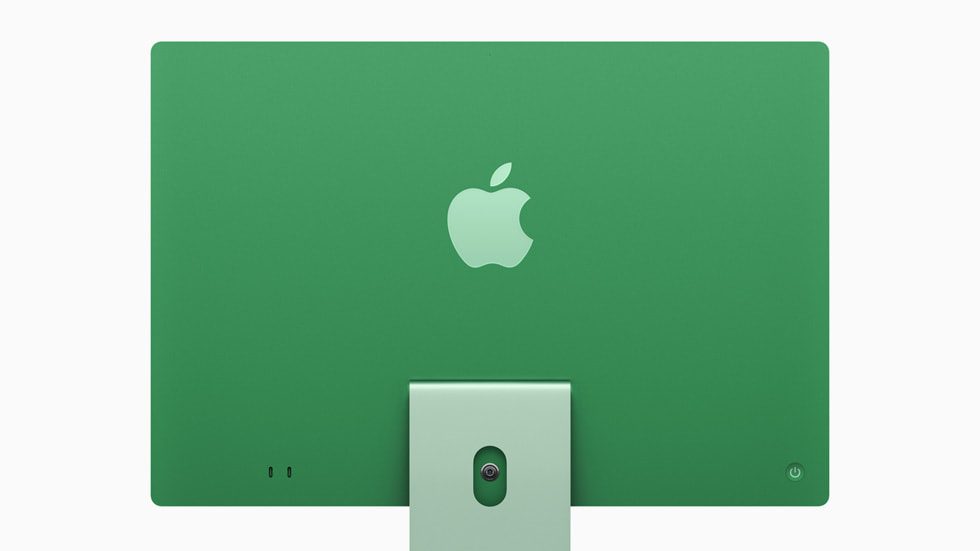

A 500GB SSD can be had for <$50 these days, and a 1TB for <$100. Still plenty of profit for Apple, even if they bump up the base storage to 512GB and make 1TB a $200 upgrade...